Finding a curriculum kit, a therapy program or a learning tool that looks perfect for your child is the fun part. Knowing whether it's ESA-allowable shouldn't slow you down. Arizona's Empowerment Scholarship Account (ESA) program serves more than 105,000 students, according to the Arizona Department of Education (ADE), and the Parent Handbook covers categories rather than every specific product. The good news is that families have several ways to check an item before they spend, from the handbook itself to other ESA parents to tools that return a result in seconds. This article compares those tools so you can pick the right one for each purchase. It starts with Pathfinder, a financial technology (fintech) company dedicated to making the Arizona Empowerment Scholarship Account (ESA) easier, more accessible and more practical for families. The sections that follow explain how each tool works, what it costs, and how reliable it is, starting with what "allowable" actually means under Arizona's program.
Why Checking ESA Allowability Before You Buy Matters
Arizona's ESA program gives families real purchasing power, and it comes with real rules. The Arizona Department of Education (ADE) administers the program, and funds are deposited quarterly into each family's ClassWallet account. That quarterly rhythm means a mistake doesn't just cost money; it can disrupt the budget families depend on for curriculum, tutoring, and therapies throughout the school year. Checking whether a purchase is ESA-allowable before checkout is one of the simplest ways to protect that budget.
The Risks of Buying First and Checking Later
ADE may process purchases under $2,000 before review. They remain subject to audit, so an unallowable purchase can still come back as an issue after the fact. An unallowable purchase can suspend a family's ESA account until the issue is resolved or the funds are repaid. For families managing quarterly ClassWallet deposits, a freeze at the wrong time can stall planned purchases for weeks. ClassWallet offers four spending methods, Marketplace, Pay Vendor, Debit Card, and Reimbursement, and a denial can affect any of them. The good news is that account suspensions from unallowable purchases are largely preventable when families check before they buy, not after.
Common Reasons ESA Purchases Get Denied
ADE and ClassWallet see the same denial patterns repeatedly. Understanding them makes it easier to avoid them:
- Missing receipt or documentation, an itemized receipt showing the student, vendor, and educational purpose is required
- Item on the not-allowed list, ADE publishes a Parent Handbook with an explicit unallowable list; if the item is on it, the purchase won't be reimbursed
- Family plan purchased instead of individual, subscriptions or services must be tied to the ESA student specifically, not to a household account
- Camp fees that include food, a camp can be ESA-allowable, but food is not, so meals bundled into a camp fee are a common mistake
- Plan runs past June 30, ESA funds operate on the state fiscal year; a subscription or service that extends beyond June 30 can be denied for the out-of-year portion
One important compliance note: not every vendor on the ClassWallet Marketplace, or every vendor that accepts Direct Pay, is selling ESA-allowable items. A vendor accepting ESA funds does not mean that every item they sell is ESA-allowable, and a purchase going through ClassWallet is not the same as ADE approval. For an item to be allowable, it must be for the ESA student only, serve an educational purpose, stay off the unallowable list, and be backed by an itemized receipt.
Pathfinder's pre-approval tool helps families check allowability before spending, by typing an item name, pasting a link, snapping a photo or scanning a barcode, so parents can shop with confidence. A check takes seconds and can make the difference between a smooth quarterly cycle and an account hold that disrupts the whole semester.
What Makes an Arizona ESA Purchase Allowable?
Arizona's Empowerment Scholarship Account (ESA) program gives families real purchasing flexibility, but not unlimited flexibility. The Arizona Department of Education (ADE) sets the rules for what counts as an allowable expense, and those rules can be harder to apply in practice than they look on paper. The Parent Handbook is the official rulebook, updated annually, but it acknowledges that its allowable list is not exhaustive. That gap between the written rules and real-world shopping decisions is exactly where families get stuck.
The Four-Part Core Allowability Test
Before making any ESA purchase, families can run a quick mental checklist. An item generally passes the core allowability test when all four of the following are true:
- For the ESA student only. The purchase must be for the enrolled student, not shared household use or for other family members.
- Educational purpose. The item or service must serve a clear educational function, academic, therapeutic, or enrichment-based.
- Not on the ADE Unallowable Purchases List. Even if an item seems educational, ADE publishes a list of prohibited purchases. If it appears there, it cannot be reimbursed.
- Documentable with an itemized receipt. Families must be able to show what was purchased, when, and for how much. A vague or combined receipt is not sufficient.
Pre-approval from ADE is not required before purchases. Parents can submit an ADE help desk ticket for any item, and an ESA specialist will say whether it would be allowable, but that answer is not a guarantee or a pre-approval.
Examples of Allowable and Unallowable Items
ADE's 2026-27 handbook lists a wide range of allowable categories. Common examples include:
Allowable:
- Private school tuition and curriculum materials
- Online learning programs and tutoring services
- Educational therapies, such as speech therapy, occupational therapy (OT) and ABA therapy, for students on a special education (disabilities) contract only
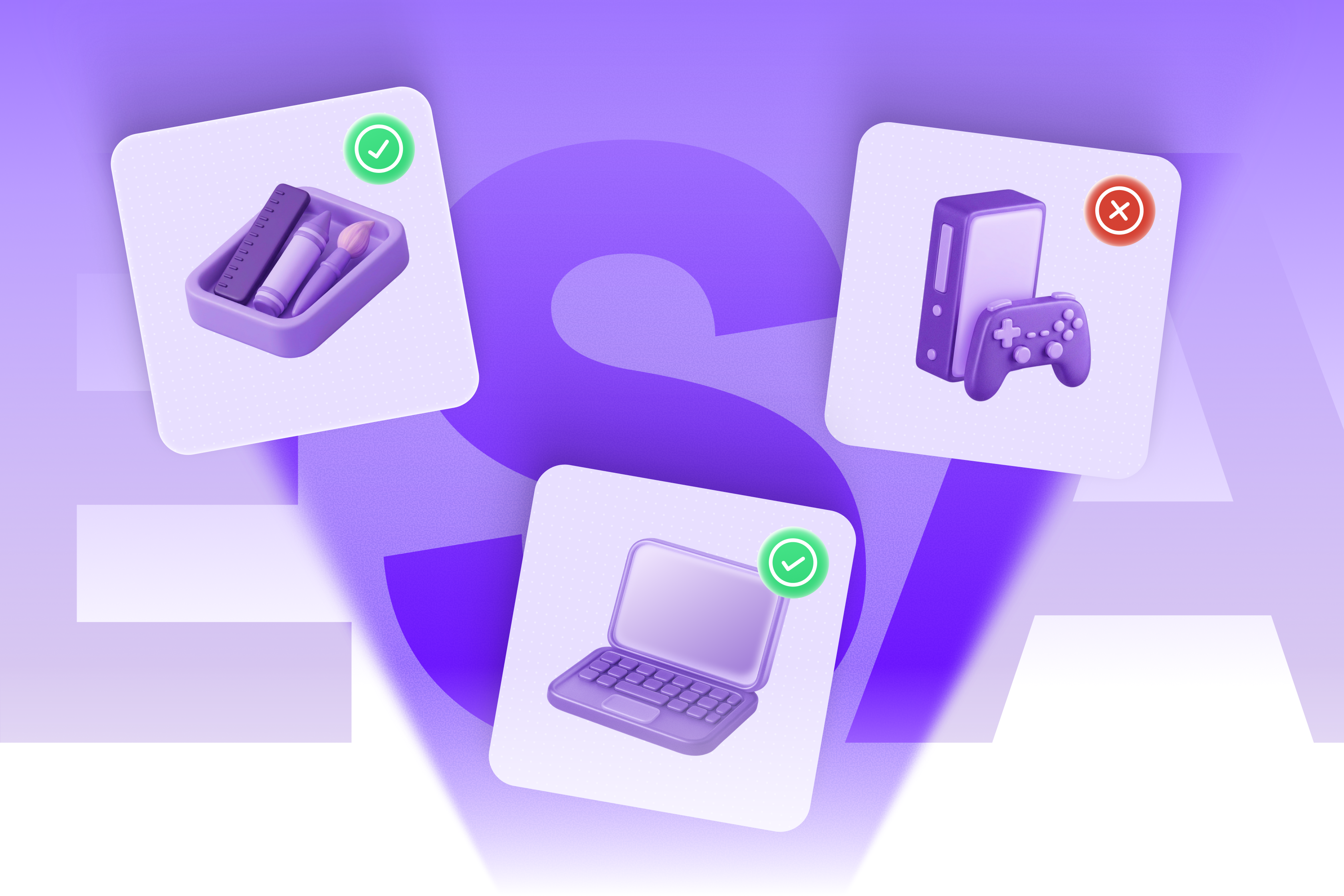
- Computers, laptops, tablets, e-readers, calculators, microscopes, and printers (a student can have more than one device, as long as each serves an educational purpose and is necessary to meet the student's individual educational needs)
- Standardized testing fees (SAT, ACT, AP exams)
- Educational enrichment classes
The final 2025-26 handbook, approved by the State Board of Education on June 23, 2025, sets no dollar caps on items like instruments, laptops or physical education equipment, and the current 2026-27 handbook doesn't either. Price caps proposed in the March 2025 draft were dropped. ADE may process purchases under $2,000 before review. They remain subject to audit, including whether their cost and quantity are reasonable for the student's needs.
Not Allowable:
ADE's Unallowable Purchases List includes items prohibited by statute and those excluded by Department policy:
- Prohibited by statute: entertainment, home theater and audio equipment, televisions, video game consoles and accessories, and devices that are primarily non-educational
- Excluded by policy: Amazon Prime fees, theme park tickets, backpacks, water bottles, bedding, clothing, day care fees, food, gift cards, and large appliances
It is worth noting that the ADE handbook itself states the allowable list is not exhaustive, and that any updates will be posted on ADE's ESA support page. That means the written lists will never cover every product a family might consider. Edge-case items, a specialized therapy tool, a niche curriculum platform, a dual-use piece of equipment, are where the rules get genuinely difficult to apply. That is where Pathfinder's pre-approval tool helps: families can check whether an item is ESA-allowable before they spend a dollar and shop with confidence.
How Arizona ESA Families Check Purchase Allowability
Families in Arizona's Empowerment Scholarship Account (ESA) program have several ways to check whether a purchase is ESA-allowable before they buy. Options range from reading the ADE Parent Handbook to asking other ESA parents to using in-app tools that return a result in seconds. The right approach depends on the item type, how much documentation a family wants, and how much time they have. Most experienced families use more than one method, especially for higher-cost or less common items.
Strategy 1: Use Pathfinder's Pre-Approval Tool (Item Name, Link, Photo or Barcode)
Pathfinder's pre-approval tool is a flexible starting point for Arizona ESA families. In the Pathfinder mobile app, parents can type an item name, paste a product link, snap a photo or scan a product barcode while shopping in a store. The tool then returns an ESA-allowable or Not ESA-allowable result based on anonymized ADE transaction data, Parent Handbook rules, ADE help desk ticket results and a model built with the help of experienced ESA parents. The tool is available to all Arizona ESA parents, not just those who hold the Pathfinder Card.
- Four ways to check: type an item name, paste a product link, snap a photo or scan a barcode
- Uses anonymized ADE transaction data and applies Parent Handbook rules
- 80.5% of pre-approval checks with a decision came back ESA-allowable (Pathfinder data, Mar-Sep 2026)
- Cardholders who purchase the exact pre-approved item with the Pathfinder Card within 2 weeks of the pre-approval tool result are covered by the Pathfinder Guarantee: up to $2,500/item and $10,000/year²
² Our Pathfinder Guarantee protects you if Pathfinder's tool is wrong. Final expense eligibility subject to state ESA program rules. See pathfindercard.com/terms.
Strategy 2: Cross-Reference the ADE ESA Parent Handbook
The ADE ESA Parent Handbook is the official annual rulebook governing allowable and unallowable purchases. Published each program year and approved by the State Board of Education, the handbook is freely available as a PDF on the ADE website; check ADE's handbook page for the edition currently in force. It is the definitive reference, but it is long and often vague when applied to a specific product.
- Free, official, and updated annually
- Covers both allowable and unallowable categories
- Long PDF that requires manual keyword searching
- Must cross-check both the allowable and unallowable sections, a category's absence from one list does not automatically place it in the other
- Provides no clear ruling on edge cases; families with unusual items often need to go further
Strategy 3: Check the ADE Unallowable Purchases List
ADE links to an Unallowable Purchases List, which is the same list found in the Parent Handbook. It is useful as a quick negative check, ruling out an item before spending more time researching it. Items are grouped into two categories: those prohibited by statute, and those not allowed under Department policy.
- Same list as in the Parent Handbook
- Items prohibited by statute include entertainment, home theater and audio equipment, primarily noneducational devices, telephones, televisions, and video game consoles and accessories
- Items not allowed by Department policy include Amazon Prime fees, theme park tickets, backpacks, water bottles, clothing, food, gift cards, and large appliances
- Useful as a quick negative check; does not confirm what IS allowable
- Works best alongside the full Parent Handbook and Pathfinder's pre-approval tool
Strategy 4: Ask Other ESA Parents
One of the most common ways families check an item is asking other ESA parents whether they think it is allowable and whether they have bought it before with no issues. Much of that conversation happens in Arizona ESA Facebook groups.
- Real-world experience from families who have bought the same or similar items
- Helpful for niche or new products the written lists don't mention
- Answers vary, and one family's experience doesn't confirm an item is allowable for everyone
- Pairs well with Pathfinder's Parent Support Team, who are all experienced ESA parents
Strategy 5: Shop the ClassWallet Marketplace
ClassWallet is the third-party financial platform contracted by ADE to manage ESA spending, and its built-in Marketplace is a catalog of vendors already set up to accept ESA funds. Buying through the Marketplace removes the payment step, but ADE still decides whether each item is allowable. This makes the Marketplace a convenient option when the vendor a family needs happens to be listed.
- Catalog of ESA vendors built into the ClassWallet platform
- Pays the vendor directly from ESA funds, but ADE still decides whether each item is allowable
- Curated selection, not every vendor or product is listed, and the catalog changes over time
- Many outside retailers, such as Target and Costco, aren't in the catalog. Amazon is on the Marketplace as a business account, but allowable items are sometimes blocked there and unallowable items can still be bought
- Important note: a vendor accepting ESA funds does not mean their goods are automatically allowable, and that applies inside the Marketplace too
Strategy 6: Submit an ADE Help Desk Ticket
Parents can submit a help desk ticket (an ESA Support Ticket in ADE's ESA parent portal) for any item or set of items. An ESA specialist will say whether they think the item would be allowable. It creates a written record, which can be useful for higher-cost or unusual items, but it comes with constraints.
- Available for any item or set of items
- Provides a written response from an ESA specialist
- No expected response time
- The specialist's answer is not a guarantee or a pre-approval
- Not required before buying
For day-to-day purchase decisions, Pathfinder's pre-approval tool gives Arizona ESA families a quick check by item name, link, photo or barcode, without searching a long PDF or waiting on a ticket response. The Parent Handbook and its unallowable list remain important references for high-stakes purchases, and other ESA parents add real-world experience. Used together, these six strategies give families a layered approach that balances speed, accuracy, and documentation.
Comparison: Arizona ESA Allowability-Checking Tools
The table below gives Arizona ESA families a quick side-by-side view of each tool's checking method, coverage scope, response speed, and financial protection. No two tools work exactly alike, some are live app-based checks, some are written references, and some rely on catalog browsing, community advice or ticket submissions. Understanding those differences helps families choose the right resource for a given purchase situation.
| Tool | How You Check | Coverage | Speed | Financial Guarantee |
|---|---|---|---|---|
| Pathfinder pre-approval tool | Type an item name, paste a product link, snap a photo or scan a barcode, all inside the Pathfinder mobile app | Built on anonymized ADE transaction data, Parent Handbook rules, ADE help desk ticket results and experienced ESA parents; covers a wide range of educational purchases | Results in seconds in the app | Pathfinder Guarantee: up to $2,500/item and $10,000/year for cardholders who buy the exact pre-approved item with the Pathfinder Card within 2 weeks² |
| ADE ESA Parent Handbook | Read the official annual rulebook of allowable and unallowable categories; check ADE's handbook page for the current edition | Broad categorical guidance; not a comprehensive product-level list | Self-service; requires manual interpretation of a long PDF | None, handbook guidance does not guarantee individual purchase approval |
| ADE Unallowable Purchases List | Check the unallowable list (the same list as in the Parent Handbook) to confirm whether a category is explicitly prohibited | Covers items banned by statute (e.g., televisions, video game consoles) and by department policy (e.g., food, gift cards, clothing) | Self-service; available anytime | None |
| Other ESA parents (Facebook groups) | Ask parents in Arizona ESA communities whether they have bought the item without issues | Real-world experience; answers vary by family | Depends on the community | None |
| ClassWallet Marketplace | Browse a built-in catalog of vendors set up to accept ESA funds; ClassWallet pays the vendor directly | ESA vendor catalog; not every vendor or product is listed; catalog changes over time; ADE still decides on each item | Immediate within the Marketplace | None, a vendor being listed does not make every item allowable |
| ADE help desk ticket | Submit a help desk ticket (ESA Support Ticket) in ADE's ESA parent portal; available for any item | An ESA specialist says whether the item would be allowable; not a guarantee or a pre-approval | No expected response time | None |
Pathfinder's pre-approval tool works differently from the other options in three ways that matter at the point of purchase. First, it accepts four input types: item name, product link, photo and product barcode, so parents can check while shopping in a store. Second, its results draw on anonymized ADE transaction data, ADE help desk ticket results and the experience of long-time ESA parents, grounding them in real spending outcomes rather than general categories. Third, cardholders are covered by the Pathfinder Guarantee² up to $2,500 per item and $10,000 per program year.
² Our Pathfinder Guarantee protects you if Pathfinder's tool is wrong. Final expense eligibility subject to state ESA program rules. See pathfindercard.com/terms.
Best Tools to Check if a Purchase Is Arizona ESA Allowable in 2026
Pathfinder
For Arizona ESA families who want to check before they buy, Pathfinder's pre-approval tool checks an item before purchase. Parents can type an item name, paste a product link, snap a photo or scan a product barcode, all inside the Pathfinder mobile app, and results draw on anonymized ADE transaction history, ADE help desk tickets and experienced ESA parents. Pathfinder data from March through September 2026 shows that 80.5% of pre-approval checks with a decision came back ESA-allowable. Separately, 98.5% of Pathfinder Card spend was ESA-allowable over the same period.
Key Features:
- Check by item name, product link, in-app photo or product barcode
- Pre-approval tool built on anonymized ADE transaction data, Arizona ESA Parent Handbook rules, ADE help desk ticket results and the experience of long-time ESA parents
- Pathfinder Guarantee² covers cardholders up to $2,500 per item and $10,000 per program year if the tool returns an ESA-allowable result and ADE later denies the purchase
- Available to all Arizona ESA parents, with or without the Pathfinder Card
- Submission-ready documentation and ClassWallet reimbursement submission in seconds from the app when paying with the Pathfinder Card⁶
Arizona ESA Offerings: Pre-approval tool (item name, link, photo or barcode); Pathfinder Guarantee²; ClassWallet reimbursement submission directly from the app⁶
Pricing: Pathfinder's pre-approval tool is available to all Arizona ESA parents. The Pathfinder Card has no annual fee and 0% interest³. Pathfinder makes money through interchange, the fee merchants pay Visa. This is industry standard and doesn't come at an extra cost to parents. For Pathfinder Card fees, see Rates & Fees. Other fees, such as late fees, may apply.
Pros:
- Four ways to check an item (item name, link, photo, barcode) in one app
- Results backed by anonymized ADE transaction history, ADE help desk tickets and experienced ESA parents, not guesswork
- Pathfinder Guarantee² adds financial protection for cardholders
- No card required to use the pre-approval tool
- Submitting reimbursements to ClassWallet from the app takes seconds⁶
Cons:
- The Pathfinder Guarantee² applies to cardholders only
- The Pathfinder Guarantee² requires the exact pre-approved item to be purchased with the Pathfinder Card within 2 weeks of receiving the pre-approval tool result
Pathfinder covers every stage of an ESA purchase: check before buying, pay with the Pathfinder Education Visa® Charge Card¹, and submit the reimbursement from the same app⁶. Four ways to check an item, results grounded in real ADE outcomes and the Pathfinder Guarantee² pair a pre-purchase check with financial protection for cardholders. Download the App to run your first check, or Apply for the Pathfinder Education Visa® Charge Card.
¹ Pathfinder is a financial technology company, not a bank. The Pathfinder Education Visa® Charge Card and Secured Pathfinder Education Visa® Charge Card are issued by Column, N.A. pursuant to a license from Visa U.S.A. Inc. The Secured Pathfinder Education Visa® Charge Card requires opening a Reimbursement Account, a secured deposit account with Column, N.A., Member FDIC. Pathfinder Cards available only to participants in education savings account programs in AZ. Approval is not guaranteed and subject to eligibility. Terms and conditions apply.
² Our Pathfinder Guarantee protects you if Pathfinder's tool is wrong. Final expense eligibility subject to state ESA program rules. See pathfindercard.com/terms.
³ The Pathfinder Card is a charge card. Full balance must be paid each billing cycle.
⁶ Connecting may affect your card limit, subject to eligibility.
ADE ESA Parent Handbook
The ADE ESA Parent Handbook is the definitive rulebook for Arizona's Empowerment Scholarship Account (ESA) program. The State Board of Education approves it each year; check ADE's handbook page for the edition currently in force. It is the single document that covers both allowable and unallowable purchases in one place, and it is available as a free PDF download from ADE's website.
Key Features:
- Covers allowable and unallowable categories together
- Approved each year by the State Board of Education
- Annual update cycle
- Free PDF download
Arizona ESA Offerings: Official rules for allowable and unallowable purchases
Pricing: Free
Pros:
- Most comprehensive single source for program rules
- Covers edge cases and category-level guidance
- Authoritative for audits and appeals
Cons:
- Long and often vague, so it can be hard to apply to a specific product
- Updated annually, mid-year rule changes may not be reflected immediately
- Does not confirm specific product-level allowability
- No input mechanism (item name, link, photo or barcode)
- No financial protection if a purchase is later denied
- The handbook itself notes the allowable list is not exhaustive and updates are posted separately on ADE's ESA support page
ADE Unallowable Purchases List
ADE links to an Unallowable Purchases List, the same list found in the Parent Handbook. It is a focused reference that tells families what is definitively off-limits rather than what is allowed, and it is most useful as a quick negative check before making a purchase.
Key Features:
- Lists prohibited items by statute and by Department policy
- Statute-prohibited items include entertainment, home theater and audio equipment, primarily non-educational devices, telephones, televisions, and video game consoles and accessories
- Policy-prohibited items include Amazon Prime fees, theme park tickets, backpacks, water bottles, bedding, clothing, day care fees, food, gift cards, and large appliances
- Same list as in the Parent Handbook, no account required
Arizona ESA Offerings: Definitive list of prohibited purchases
Pricing: Free
Pros:
- Fast way to rule out clearly ineligible purchases
- Covers both statutory and policy-based prohibitions
- Authoritative for appeals and disputes
Cons:
- Only confirms what is NOT allowable, does not confirm what IS allowable
- No input mechanism
- Does not cover gray-area or category-level nuance
- No financial protection if a borderline purchase is later denied
Other ESA Parents and Facebook Groups
Many families check an item by asking other ESA parents whether they think it is allowable and whether they have bought it before with no issues. Much of that conversation happens in Arizona ESA Facebook groups.
Key Features:
- Real-world experience from families who have bought the same or similar items
- Free and community-run
- Covers niche and new products the written lists don't mention
Arizona ESA Offerings: Peer advice on specific purchases
Pricing: Free
Pros:
- Practical, experience-based answers
- Helpful for niche or new products
Cons:
- Answers vary and aren't official
- One family's experience doesn't confirm an item is allowable for everyone
- No financial protection if a purchase is later denied
ClassWallet Marketplace
ClassWallet is the third-party financial platform that ADE uses to manage ESA spending, and its built-in Marketplace is a curated catalog of vendors set up to accept ESA funds. Buying through the Marketplace means ClassWallet pays the vendor directly, though ADE still decides whether each item is allowable. Families using the Pathfinder Card can submit reimbursements to ClassWallet directly from the Pathfinder app⁶.
Key Features:
- Catalog of ESA vendors built into ClassWallet
- ClassWallet pays the vendor directly from ESA funds
- State ESA funds can be applied directly at checkout
- Catalog is curated and updated over time
Arizona ESA Offerings: Direct payment from ESA funds to listed vendors
Pricing: Free to use as part of the ClassWallet platform provided to ESA families
Pros:
- Vendors are already set up to accept ESA funds
- Direct payment from ESA account, no out-of-pocket step
Cons:
- Not every vendor or product is listed, coverage is limited to curated selections
- Cannot check items from outside retailers
- Catalog changes over time; a vendor being listed does not guarantee every product that vendor sells is ESA-allowable
- Amazon is on the Marketplace as a business account, but allowable items are sometimes blocked there and unallowable items can still be bought
- ClassWallet and ADE note that a vendor accepting ESA funds does not mean their goods or services are allowable, a purchase going through ClassWallet is not the same as an ADE approval
- No input mechanism for items outside the Marketplace
ADE Help Desk Ticket
Parents can submit a help desk ticket (an ESA Support Ticket in ADE's ESA parent portal) for any item or set of items. An ESA specialist will say whether they think the item would be allowable, though that answer is not a guarantee or a pre-approval.
Key Features:
- Available for any item or set of items
- Written response from an ESA specialist
- Submitted through ADE's ESA parent portal
- No expected response time
Arizona ESA Offerings: Written guidance on specific items
Pricing: Free
Pros:
- Provides a written response, useful for high-value or unusual purchases
- Official ADE channel
Cons:
- Not a guarantee or a pre-approval
- No expected response time, so it doesn't help at the point of purchase
- Not required before buying
- Does not provide financial protection if the purchase is ultimately denied
- Not a scalable solution for families making frequent or varied purchases
Evaluation Rubric for Arizona ESA Allowability-Checking Tools
Not every allowability-checking tool is built for every situation. A parent researching a sensory tool for a child with special needs faces a different decision than one buying a math curriculum box from an unfamiliar vendor. Tools vary in how they accept input, what data backs their results, how quickly they respond, and what happens if they're wrong, so families benefit from understanding what each tool does well before choosing which one to reach for first.
| Category | What High Performance Looks Like | Measurable Outcome |
|---|---|---|
| Input Flexibility | Accepts a typed item name, product link, photo or product barcode without requiring a login to a curated catalog | Parent can check any item, from any store, in a single step |
| Data Basis | Results are grounded in real, anonymized historical ADE approval and denial data, plus long-time ESA parents' experience and help desk tickets when needed, not guesswork or handbook summaries alone | Higher confidence that the result reflects how ADE has actually ruled on similar items |
| Speed of Result | Near real-time response (within the app, in seconds) rather than waiting on a help desk ticket or browsing lists manually | Parent can check at the point of purchase, before spending out of pocket |
| Coverage Breadth | Handles items outside a fixed vendor catalog, including niche curricula, therapy tools, and specialty supplies | Useful for the wide range of purchases families make beyond mainstream marketplaces |
| Financial Protection | Offers a formal guarantee if the tool's result is later disputed by the state | Reduces financial risk when acting on a tool's assessment |
| Ease of Use | A non-expert parent can read the result and act on it without manual cross-referencing of handbook rules | Lower barrier to confident decision-making |
| Documentation Support | Automatically prepares submission-ready receipts and documentation tied to the purchase | Reduces reimbursement errors and submission time |
Here is how Pathfinder measures against these categories. Its pre-approval tool accepts a typed item name, product link, photo or barcode, covering items well beyond any fixed catalog. Results draw on anonymized historical ADE approval and denial data, the experience of long-time ESA parents and ADE help desk ticket results. Checks come back in seconds inside the app, and the Pathfinder Guarantee² covers cardholders up to $2,500 per item and $10,000 per program year if a pre-approved item bought with the Pathfinder Card is later denied. Pathfinder also prepares submission-ready documentation and lets families submit reimbursements to ClassWallet directly from the app⁶. The ClassWallet Marketplace pays listed vendors directly but does not extend to items outside that vendor list, and a vendor being listed there does not mean the item is ESA-allowable. Many families use Pathfinder for quick item checks alongside the Parent Handbook and the ClassWallet Marketplace.
² Our Pathfinder Guarantee protects you if Pathfinder's tool is wrong. Final expense eligibility subject to state ESA program rules. See pathfindercard.com/terms.
⁶ Connecting may affect your card limit, subject to eligibility.
Why Families Use Pathfinder to Check Arizona ESA Allowability
Arizona ESA families have several ways to check a purchase before they buy, from the ADE Parent Handbook and its unallowable list to the ClassWallet Marketplace and other ESA parents. Pathfinder brings item-level allowability checking (by item name, link, photo or barcode), anonymized ADE transaction history, and financial protection through the Pathfinder Guarantee together in one app.² For cardholders, 98.5% of Pathfinder Card spend was ESA-allowable (Pathfinder data, Mar–Sep 2026). As one parent put it: "The pre-approval tool alone has saved us so much time and stress."
Pathfinder is most useful for families who shop beyond the ClassWallet Marketplace, at retailers like Amazon, Target, or Costco, or with independent tutors and providers, where a vendor accepting ESA funds says nothing about the specific item. It also helps with edge-case purchases that the ADE handbook doesn't list. For cardholders, Pathfinder prepares submission-ready documentation for each ESA-allowable purchase, and families can submit reimbursements to ClassWallet directly from the Pathfinder app⁶.
Download the App to check your next ESA purchase with Pathfinder's pre-approval tool, no card required.
Apply for the Pathfinder Education Visa® Charge Card¹ to pay for ESA-allowable purchases with submission-ready documentation. Cardholders are also covered by the Pathfinder Guarantee.²
FAQs About Checking Arizona ESA Purchase Allowability
Is there an app that checks if a homeschool or other ESA purchase is allowable before I buy it?
Yes. Pathfinder's pre-approval tool lets any Arizona ESA parent check whether a purchase is ESA-allowable before spending a dollar, no Pathfinder Card required. Available in the Pathfinder mobile app, the tool draws on anonymized ADE transaction data, applies Arizona ESA Parent Handbook rules, and uses long-time ESA parents' experience and ADE help desk ticket results to give a result. Cardholders who buy the exact pre-approved item with the Pathfinder Card within 2 weeks are covered by the Pathfinder Guarantee.²
Can I scan a barcode or paste a product link to check Arizona ESA allowability?
Yes. Pathfinder's pre-approval tool offers four ways to check an item: type the item name, paste a product link, snap a photo, or scan the product barcode, which is handy when shopping in a store. That flexibility matters because not every purchase has a scannable barcode; some are digital downloads or services. All four methods return an ESA-allowable or Not ESA-allowable result based on anonymized ADE approval-and-denial history and current Parent Handbook rules.
Is there an official ADE list of ESA-allowable items?
The quickest way to check a specific item is Pathfinder's pre-approval tool, available to every Arizona ESA parent in the Pathfinder app. Scan a barcode, snap a photo, paste a product link or type the item name, and you get a result in seconds. The tool draws on anonymized ADE transaction history, ADE help desk ticket results and the experience of long-time ESA parents. ADE no longer runs a searchable item list. For the rules themselves, use ADE's annual ESA Parent Handbook, which covers allowable categories, and its Unallowable Purchases List. Still unsure about an item? Ask Pathfinder's Parent Support Team, who are all experienced ESA parents, or submit an ADE help desk ticket for any item.
How does Pathfinder's pre-approval tool decide if an item is ESA-allowable?
Pathfinder's pre-approval tool draws on anonymized transactions that ADE has accepted or denied, applies current Parent Handbook rules, and adds the experience of long-time ESA parents and ADE help desk ticket results. A model developed with experienced ESA parents analyzes those patterns for any item a family submits, so results are built on what has actually happened with real purchases, not guesswork. Results are labeled ESA-allowable or Not ESA-allowable. 80.5% of pre-approval checks with a decision came back ESA-allowable (Pathfinder data, Mar-Sep 2026).
What happens if I buy something that turns out not to be ESA-allowable?
ADE may process purchases under $2,000 before review. They remain subject to audit. If a purchase is found to be unallowable, a family's ESA account can be suspended until the issue is resolved or funds are repaid. Common denial reasons include a missing receipt or documentation, the item appearing on ADE's Unallowable Purchases List, purchasing a family plan instead of an individual plan, a subscription that runs past June 30, or camp fees that include food. Pathfinder's pre-approval tool helps families avoid these situations by checking items before they buy.
Does buying from the ClassWallet Marketplace guarantee my purchase is ESA-allowable?
No. The ClassWallet Marketplace is a catalog of vendors set up to accept ESA funds, but not every vendor on the Marketplace, or every vendor that accepts Direct Pay, sells only ESA-allowable items. As both ClassWallet and ADE have warned: "Vendors stating that they accept ESA funds does not mean that the goods or services they sell are allowable program goods or services." Amazon, for example, is on the Marketplace as a business account, but allowable items are sometimes blocked there and unallowable items can still be bought. The Marketplace handles payment, while Pathfinder's pre-approval tool adds item-level checking for purchases inside or outside the Marketplace.
What is the Pathfinder Guarantee and how does it protect me if a pre-approved item is denied?²
The Pathfinder Guarantee covers Pathfinder Card cardholders if Pathfinder's pre-approval tool returns an ESA-allowable result and the item is later denied by the state. Coverage caps at $2,500 per item and $10,000 per cardholder per program year. To qualify, the cardholder must purchase the exact pre-approved item with the Pathfinder Card within 2 weeks of receiving the pre-approval tool result. It can be a meaningful safeguard for families making larger curriculum or technology purchases.
What are the most common purchases that are NOT ESA-allowable in Arizona?
ADE's Unallowable Purchases List (part of the 2026-2027 Parent Handbook) prohibits items by statute, including entertainment, televisions, home theater and audio equipment, video game consoles and accessories, and primarily noneducational devices. Department policy also bans Amazon Prime fees, theme park tickets, backpacks, water bottles, bedding, clothing, day care fees, food, gift cards, and large appliances. Checking the list before purchase, and running uncertain items through Pathfinder's pre-approval tool, can help families avoid account suspension.
Do I need to request pre-approval before every ESA purchase in Arizona?
No. Arizona's ESA Parent Handbook includes no general pre-approval requirement, and there is no curriculum plan to file in advance. ADE may process purchases under $2,000 before review. They remain subject to audit. Parents can also submit an ADE help desk ticket for any item to ask whether it would be allowable, though the answer is not a guarantee or a pre-approval, and there is no expected response time. Checking before buying is still good practice, especially for higher-cost items. Pathfinder's pre-approval tool can check an item in seconds, and cardholders are covered by the Pathfinder Guarantee² when they buy the exact item with the Pathfinder Card within 2 weeks.
How is Pathfinder's pre-approval tool different from checking the ADE handbook myself?
The ADE Parent Handbook is the official rulebook, but it is a long, often vague PDF, and using it means cross-referencing the allowable categories, the Unallowable Purchases List, and periodic updates posted at azed.gov/esa/esa-support. Pathfinder's pre-approval tool checks an item name, link, photo or barcode in seconds, draws on anonymized ADE transaction data and the experience of long-time ESA parents, and gives a clear ESA-allowable or Not ESA-allowable result. Cardholders are also covered by the Pathfinder Guarantee, up to $2,500 per item and $10,000 per year.²
¹ Pathfinder is a financial technology company, not a bank. The Pathfinder Education Visa® Charge Card and Secured Pathfinder Education Visa® Charge Card are issued by Column, N.A. pursuant to a license from Visa U.S.A. Inc. The Secured Pathfinder Education Visa® Charge Card requires opening a Reimbursement Account, a secured deposit account with Column, N.A., Member FDIC. Pathfinder Cards available only to participants in education savings account programs in AZ. Approval is not guaranteed and subject to eligibility. Terms and conditions apply.
² Our Pathfinder Guarantee protects you if Pathfinder's tool is wrong. Final expense eligibility subject to state ESA program rules. See pathfindercard.com/terms.
Have any questions and want to talk to Pathfinder directly? Reach out here!