Arizona ESA families planning Black Friday purchases can use this guide, built with Pathfinder, to check what's ESA-allowable, understand technology limits, and keep the right receipts.
Black Friday 2026 falls on November 27. This guide covers which school supplies and technology items are ESA-allowable, how the laptop, tablet, and desktop rules work for a single child, what counts as a bulk purchase that could raise flags, and which receipts to hold onto after you shop. Arizona's ESA program serves more than 105,000 students statewide, according to the Arizona Department of Education (ADE), with the typical general-education award at about $7,000 per year. That's a meaningful budget, and Black Friday is a good moment to plan how to use it. For this year's deals and ESA-allowable picks, see Pathfinder's Black Friday page.
This guide is published by Pathfinder. Pathfinder is a financial technology (fintech) company dedicated to making the Arizona Empowerment Scholarship Account (ESA) easier, more accessible and more practical for families. Not sure whether something on your list is ESA-allowable? Pathfinder's pre-approval tool can check it in seconds, so you can shop with confidence.
Why Black Friday Is a Smart Time to Use Arizona ESA Funds
For Arizona ESA families, Black Friday 2026 falls at a convenient moment in the school year. Families are funded, school-year needs are clear, and retailers discount many of the items ESA students use most, which makes it possible to plan purchases thoughtfully rather than scramble. Checking what's ESA-allowable before you add something to a cart or check out gives you more peace of mind.
Planning Larger Purchases for the Rest of the School Year
For a typical general-education student, the annual ESA award is about $7,000. Black Friday markdowns on technology, curriculum and learning materials make it a natural time to plan bigger purchases for the rest of the school year, from a student laptop to a full science curriculum kit. Making a list ahead of time, and checking each item before the sales start, keeps your shopping focused on what your child will actually use.
What Families Commonly Buy With Arizona ESA Funds
School supplies and educational technology are the categories most families think of first, but they're far from the only ones. Pathfinder's ESA wishlist and Black Friday page group popular purchases into categories like these:
- Books and curriculum: phonics readers, grammar and science curriculum kits, atlases and geography workbooks
- STEM and building: magnetic tiles, building sets, electronics and coding kits, telescopes
- Arts and crafts: craft kits, drawing and carving kits
- Puzzles, games and learning toys: educational board and card games, puzzles, globes
- Movement and physical education: gymnastics equipment, balance beams, outdoor sports sets
- Sensory and special education: sensory tiles, wobble stools, crash pads
- Music: instruments such as digital pianos, and audio players for learning
- Technology: laptops, tablets, printers, kids' cameras
- Home classroom: whiteboards, storage carts, bookcases
- School supplies: paper, notebooks, binders, folders, scissors and similar classroom materials
The ADE ESA Parent Handbook (2026-2027) describes the allowable categories in detail. Since not every item within a category qualifies, a quick check in Pathfinder's pre-approval tool before checkout helps you shop with confidence.
What School Supplies Are ESA-Allowable for Black Friday Shopping?
School supplies are a recognized allowable category under the ADE ESA Parent Handbook, and Black Friday is a common time to stock up, since retailers often discount these basics. The handbook is a long PDF and doesn't name every product, so the quickest way to confirm a specific item is Pathfinder's pre-approval tool, which checks it in seconds. The list below comes from the ADE ESA 2026-2027 Parent Handbook; it is not exhaustive, and rules can change between program years.
ADE-Approved School Supply List
The following items appear in the ADE ESA 2026-2027 Parent Handbook as ESA-allowable school supplies. For anything not on the list, check the item in Pathfinder's pre-approval tool before you buy.
- Paper
- Index cards
- Poster boards
- Folders
- Binders
- Notebooks
- Staplers
- Scissors
- Tape
- Glue
- Eraser
- White out
- Sharpener
- Educational poster
- Small desk/reading lamps
- Pencil grips
- Bookmarks
- Envelopes
- Rubber bands
- Dividers
- Hole punch
What Changed After the July 2026 Settlement
Under a settlement between the Arizona Attorney General and ESA parents represented by the Goldwater Institute, effective July 1, 2026, Arizona ESA families no longer need to submit curriculum documentation when purchasing general educational supplemental materials, including basic school supplies. Instead, families attest that the purchase supports a curriculum or course of study for the qualified student and select the subject from a checklist. This change reduces paperwork for routine supply purchases, though it does not change which items ADE considers allowable.
Bulk Purchase Rules: What ADE Flags
Pencils, paper, and binders are allowable in amounts tied to coursework, but bulk, household-sized stock is not. ADE may process purchases under $2,000 before review. They remain subject to audit, and serial duplicate purchases, such as dozens of identical items under one student's account, have drawn ADE scrutiny and media attention. Quantities should be proportional to the school year and the student's actual course load. Before adding high-quantity items to a Black Friday cart, ask whether the amount matches what your child will use this school year. Not sure whether a quantity is reasonable? Check the item in Pathfinder's pre-approval tool, or reach out to Pathfinder's Parent Support Team, who are all experienced ESA parents.
What Technology Items Are ESA-Allowable on Black Friday?
Educational technology is a distinct allowable category under the ADE ESA Parent Handbook (2026-2027), listed under "computer hardware and technological devices (primarily used for an educational purpose)." Black Friday is one of the strongest times of year to find deals on these items, laptops, tablets, and printers regularly see significant markdowns. Understanding exactly which devices qualify, and which do not, helps families plan purposeful purchases and shop with confidence.
Devices That Are ESA-Allowable
The ADE ESA Parent Handbook (2026-2027) lists the following technology as ESA-allowable when purchased for the ESA student and used for an educational purpose:
- Calculators
- Personal computers
- Laptops
- Tablet devices
- Microscopes
- Telescopes
- Printers
Desktops follow the same rules as laptops and should be the student's own machine. Printer ink, paper and cables are routine purchases when there's an educational reason to print.
Devices That Are NOT ESA-Allowable
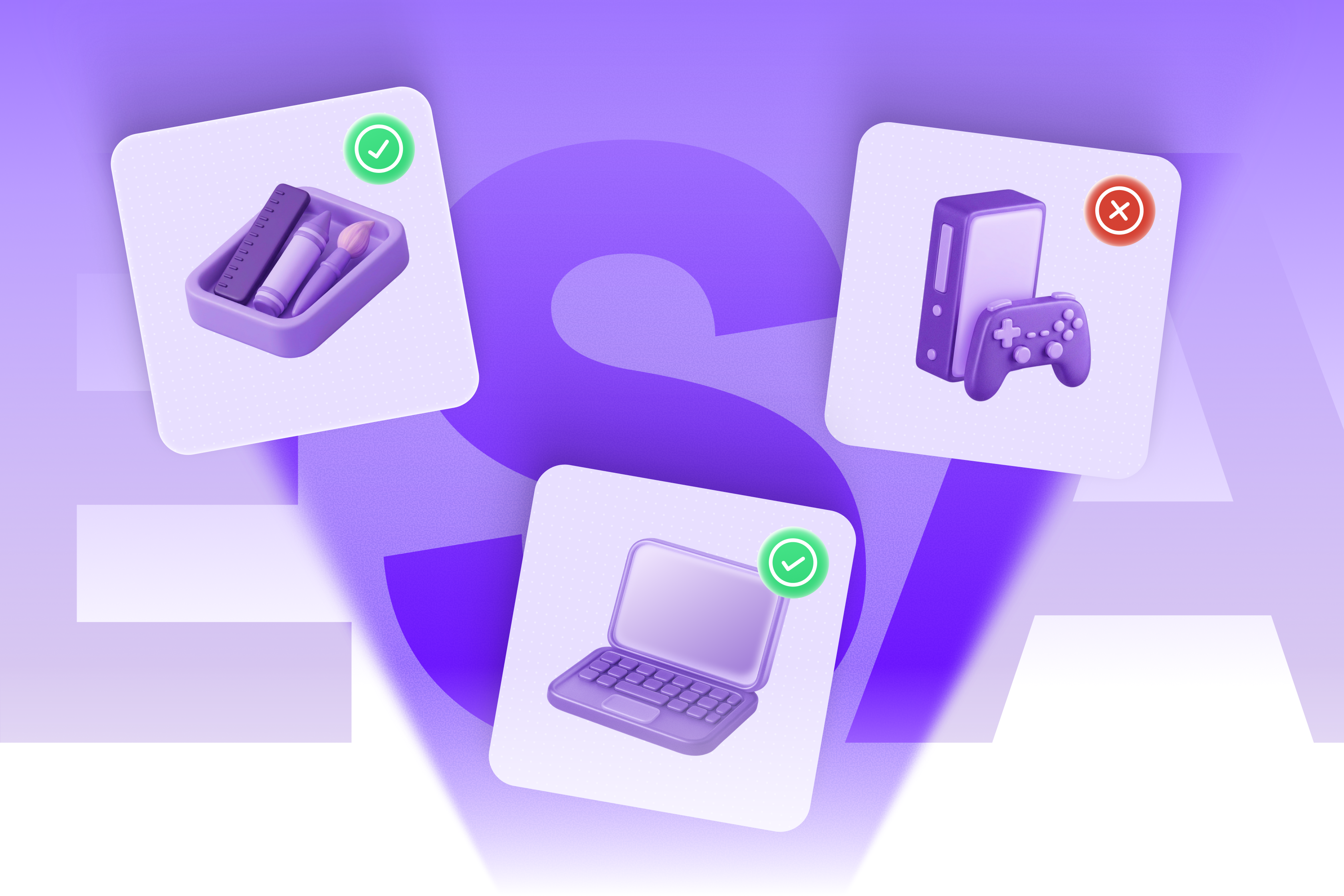
ADE's Unallowable Purchases List bars televisions, telephones, video game consoles and accessories, and entertainment, which rules out several popular Black Friday categories:
- Televisions and smart TVs
- Gaming consoles (PlayStation, Xbox, Nintendo Switch)
- Video games
- Entertainment subscriptions (Netflix, Disney+, Spotify)
- Cell phones
These items may come up in the same sales events as allowable devices, but they do not meet the ADE standard regardless of how a retailer labels them.
The Student-Only Requirement
Any device, laptop, tablet, or desktop, must be for the ESA student only and used for educational purposes. A family desktop sitting in the living room that parents, siblings, and the student all use does not meet this standard; the student-only requirement applies to every device on the allowable list. Higher-end machines, such as a MacBook Pro or a gaming-spec laptop, are more likely to be reviewed for whether the cost fits the student's needs. If the student genuinely needs that level of hardware, for video production, CAD drafting, coding, or similar coursework, document that academic use case clearly and keep it with your records. Before Black Friday, Pathfinder's pre-approval tool can check the exact model: type the item name, paste a product link, snap a photo or scan the barcode in the store. For the full device rules, see our Arizona ESA Technology Rules guide.
Is There a Dollar Limit on Laptops and Computers Under Arizona ESA?
For Black Friday shoppers eyeing a new laptop or desktop, this is one of the most common questions. The answer depends on which version of the ADE ESA Parent Handbook you're reading: the rule went through a draft-to-final revision, and the two versions say different things.
What the Draft Handbook Said
The 2025-2026 ADE ESA Parent Handbook draft included a specific dollar cap for personal computers and laptops: a $2,000 spending limit every two years, per device, per ESA student. That figure circulated widely among ESA families and was discussed in planning conversations heading into the school year. It appeared in the draft only, so it should not be treated as current policy.
What the Final Approved Handbook Says
The Arizona State Board of Education approved the final 2025-2026 ESA Parent Handbook with an 8-1 vote. The final approved version does not set explicit dollar spending limits on personal computers, laptops, or other devices, and the current 2026-2027 handbook doesn't either. ADE may process purchases under $2,000 before review. They remain subject to audit, including whether their cost is reasonable compared with similar options. There is no general pre-approval requirement under Arizona's Empowerment Scholarship Account (ESA) program.
How to Check a Device Before You Buy
The quickest step before spending ESA funds on a laptop or desktop is to check the exact model in Pathfinder's pre-approval tool. Type the item name, paste a product link, snap a photo or scan the barcode in the store, and get a result in seconds. For questions the tool doesn't cover, Pathfinder's Parent Support Team, who are all experienced ESA parents, can help. For more on device rules, see our Arizona ESA Technology Rules guide.
Can an Arizona ESA Student Buy Both a Laptop and a Tablet?
Yes. Under Arizona's Empowerment Scholarship Account (ESA) program, ESA funds can be used to buy a laptop, a tablet and a desktop computer for the same student, as long as each device serves an educational purpose and is necessary to meet the student's individual educational needs. Before you buy a second device for the same child, check it with Pathfinder's pre-approval tool or ask Pathfinder's Parent Support Team, who are all experienced ESA parents. Getting the documentation right before Black Friday means fewer headaches later.
Documenting a Second Device
When a family buys two different types of devices in the same contract year, say, a laptop and an iPad, it helps to record a separate educational purpose for each one. A common documented distinction is that the laptop supports writing assignments and structured school-day work, while the tablet is used for reading programs and math apps. The key is specificity: a note in the student's file that explains what each device does educationally is far stronger than a general statement about schoolwork. Keep that note with the receipt for each device.
What Receipts Do You Need to Keep from Black Friday ESA Purchases?
Buying the right item is only half the job, keeping the right receipt is what actually gets you reimbursed. Black Friday purchases, especially online orders placed through retailer apps or deal pages, require extra attention to receipt format. A confirmation email that lands in your inbox five minutes after checkout is not the same as a valid itemized receipt, and that difference matters when you submit to Arizona's ESA program.
What Makes a Receipt Valid for ADE
According to ADE guidelines, a valid receipt must include all of the following:
- Vendor name, address, and contact information
- Receipt date
- Receipt or order number
- Itemized description of each item purchased (each product listed separately, with enough detail to identify it)
- Total amount charged
- Proof of method of payment (required for reimbursement submissions)
Three things that look like receipts but are not valid under ADE requirements:
- An order confirmation email that shows only the order total, not valid
- A credit card or bank statement, not valid
- A screenshot of your shopping cart, not valid
Confirm all receipt requirements against the current ADE ESA Parent Handbook before submitting, as requirements may be updated.
Common Receipt Mistakes That Cause Rejections
The most common pitfall families run into is treating a confirmation email as a receipt. Retailers typically send two separate emails: a confirmation (order total, estimated delivery) and an order detail or invoice (line items, SKUs, quantities). Only the second one works. On Black Friday, with high order volumes, that detail email can arrive hours later or get buried, so make a habit of logging into your retailer account, navigating to your order history, and downloading or printing the full order detail page. For in-store purchases, ask for a printed or emailed itemized receipt at the register. A credit card statement may show the merchant and the total, but it does not show what you bought, which is exactly what ESA program reviewers need to see.
Mixed-Cart Rules: Separating ESA and Non-ESA Items
The simplest advice here is also the most effective: check out twice. If you're buying a laptop for your child's ESA and a household printer for yourself, place those in two separate transactions. When a single receipt covers both ESA-allowable and non-allowable items, ESA program staff have no reliable way to determine the allowable portion unless every line item is individually identified, and if the receipt is ambiguous, the entire order may be rejected. It takes an extra minute at checkout, but it protects the full value of your purchase. Think of it as a small habit that keeps your documentation clean.
Documentation Deadlines
If you pay with a ClassWallet debit card, receipts and documentation must be uploaded into ClassWallet by the end of the month following the close of each quarter. Black Friday falls in Q2, which runs through December 31, so documentation for Black Friday debit card purchases is due by January 31. For reimbursements, the 2026-2027 handbook gives you the entire contract year to submit, with final reimbursements due by the end of the month after the contract year ends. Uploading each receipt soon after you buy keeps things simple either way.
How to Check if a Black Friday Deal Is ESA-Allowable Before You Buy
The easiest move on Black Friday is to check whether an item is ESA-allowable before you buy, so you can shop with confidence and skip the hassle of returning a doorbuster purchase. A few minutes before the sales start is all it takes.
A Simple Pre-Purchase Check
- Check the item in Pathfinder's pre-approval tool. In the Pathfinder mobile app, type the item name, paste a product link, snap a photo or scan the barcode in the store. Results come back in seconds as ESA-allowable or Not ESA-allowable.
- Rule items out with the Unallowable Purchases List. State law bars televisions, telephones, video game consoles and accessories, and entertainment. ADE also excludes items such as gift cards, backpacks and food.
- Use the handbook for category-level questions. The ADE ESA Parent Handbook explains each expense category and what ADE weighs, including whether the cost and quantity fit the student's needs. It's long and general, so it works best for understanding a category rather than a specific product.
- Ask other ESA parents or Pathfinder's Parent Support Team. Many families ask other ESA parents, often in Arizona ESA Facebook groups, whether they've bought an item before with no issues. Pathfinder's Parent Support Team, all experienced ESA parents, can also help with gray areas like quantities.
- Submit an ADE help desk ticket for unusual items. Parents can submit an ESA Support Ticket in the ESA parent portal for any item. An ESA specialist will say whether they think it would be allowable, but that answer is not a guarantee or a pre-approval, and there is no expected response time.
- Plan the receipt. Check out ESA items separately from household items and save the itemized receipt.
Using Pathfinder's Pre-Approval Tool
Not sure whether a product or service is ESA-allowable? Type it in, paste the link, snap a picture or scan the barcode in Pathfinder's pre-approval tool and get a result in seconds. The tool is available to all Arizona ESA parents, and its results draw on anonymized ADE transaction data, Arizona ESA Parent Handbook rules, ADE help desk ticket results and the experience of long-time ESA parents.
For this year's Black Friday deals and ESA-allowable picks, see Pathfinder's Black Friday page.
Comparison: Resources Arizona ESA Families Use to Plan Black Friday Spending
Planning Black Friday purchases with Arizona ESA funds means knowing an item is ESA-allowable before checkout, having documentation ready, and knowing how you'll pay. The table below compares the resources and payment options Arizona ESA families use. ClassWallet is the state's ESA payment platform.
| Resource | What it's for | Who runs it | Good to know |
|---|---|---|---|
| Pathfinder's pre-approval tool | Checking a specific item by typing it in, pasting a link, snapping a picture or scanning a barcode in the Pathfinder app | Pathfinder | Available to all Arizona ESA parents; results in seconds |
| Pathfinder's Parent Support Team | Help with gray areas such as quantities and unusual items | Pathfinder | The team is made up of experienced ESA parents |
| ADE Unallowable Purchases List | Ruling out items barred by statute or ADE policy | Arizona Department of Education | Covers TVs, gaming consoles, telephones, gift cards and more |
| ADE ESA Parent Handbook | Program rules, expense categories and receipt requirements | Arizona Department of Education | Long PDF; check ADE's handbook page for the current edition |
| ESA Support Ticket | Asking an ESA specialist whether any item would be allowable | Arizona Department of Education, through the ESA parent portal | Not a guarantee or a pre-approval; no expected response time |
| Other ESA parents | Hearing whether other families have bought an item with no issues | Arizona ESA Facebook groups and communities | Answers vary from family to family |
| ClassWallet Marketplace and Pay Vendor | Paying listed vendors directly from ESA funds | ClassWallet, the state's ESA payment platform | A vendor being listed doesn't make every item allowable |
| ClassWallet reimbursement | Getting paid back for allowable items you bought yourself | ClassWallet, the state's ESA payment platform | Needs an itemized receipt and proof of payment |
Used together, these resources answer the three questions that matter on Black Friday: is it allowable, how will I pay, and what will I submit. For the deals themselves, see Pathfinder's Black Friday page.
Evaluation Rubric: How to Assess Any Black Friday Deal for Arizona ESA Allowability
Arizona ESA families sorting through Black Friday deals face the same question ADE asks if it reviews a purchase: does this purchase genuinely serve the student's coursework? Applying that lens before checkout is the most reliable way to shop with confidence. The eight criteria below draw on the ADE ESA Parent Handbook and common guidance for ESA families.
| Category | High-Performance Standard | Measurable Outcome |
|---|---|---|
| 1. Educational Purpose | Device or supply is for the student's coursework only, not general household use | Purchase holds up if ADE reviews or audits it later |
| 2. Item Type | Item falls in an allowable category in the ADE ESA Parent Handbook (e.g., paper, notebooks, a laptop for the student) | Purchase aligns with the current ADE ESA Parent Handbook categories |
| 3. Quantity | Quantities are proportional to school-year need, not bulk or household-sized stock | No duplicate-purchase flag; ADE has scrutinized serial purchases of identical items |
| 4. Device Ownership | Item stays with the ESA student; family notes item disposition with the receipt | No repurposing of ESA-funded device for other household members |
| 5. Receipt Quality | Receipt includes vendor name, date, total charged, itemized list with full description of each item or service, and proof of payment method (required for reimbursements) | Receipt meets ADE documentation requirements on first submission |
| 6. Documentation Timing | Debit card receipts and documentation uploaded to ClassWallet by the end of the month following the close of each quarter; reimbursements submitted within the contract year | Documentation submitted on time; account remains in good standing |
| 7. Pre-Purchase Check | Item checked in Pathfinder's pre-approval tool and against ADE's Unallowable Purchases List before purchase | Families can identify potential issues before spending, not after |
| 8. Spending Limit Awareness | Family knows the current handbook sets no explicit dollar caps on devices, that a student can have more than one device when each serves an educational purpose and meets the student's individual educational needs, and that ADE may process purchases under $2,000 before review, but they remain subject to audit | Decisions based on current rules, not the outdated draft cap |
Working through these criteria before Black Friday, with a list in hand, leaves time to adjust the cart if something doesn't fit. For this year's deals and ESA-allowable picks, see Pathfinder's Black Friday page.
How Pathfinder Helps Arizona ESA Families Shopping on Black Friday
Black Friday 2026 falls on November 27, when school-year needs are clear and many educational items are on sale. Families buying school supplies, educational technology or printer supplies that day often have the same questions: which devices qualify, what counts as a bulk purchase, and how to keep receipts clean for a mixed cart.
Pathfinder is a financial technology (fintech) company dedicated to making the Arizona Empowerment Scholarship Account (ESA) easier, more accessible and more practical for families. For this year's deals and ESA-allowable picks, see Pathfinder's Black Friday page. For the rules behind them, see our Arizona ESA Technology Rules guide and our guide to how Arizona decides what's ESA-allowable. Not sure whether a product or service is ESA-allowable? Type it in, paste the link, snap a picture or scan the barcode in Pathfinder's pre-approval tool and get an answer in seconds, and reach out to Pathfinder's Parent Support Team for anything else. Make a list, check each item, and plan your receipts before the sales start.
FAQs About Using Arizona ESA Funds on Black Friday
What school supplies are ESA-allowable for Arizona ESA families on Black Friday?
ADE-allowable school supplies include paper, notebooks, binders, folders, index cards, scissors, tape, glue, erasers, pencil grips, staplers, and small desk lamps, among others. Since a July 2026 settlement with the Arizona Attorney General, families no longer need to submit curriculum documentation for general educational supplemental materials, instead, you attest that the purchase supports a qualified student's curriculum or course of study and pick the subject from a checklist. For supplies not on the list, Pathfinder's pre-approval tool can check a specific item in seconds.
Can I use Arizona ESA funds to buy a laptop, a tablet, and a desktop for the same child?
Yes. Arizona ESA funds can be used to buy a laptop, a tablet and a desktop computer for the same student, as long as each device serves an educational purpose and is necessary to meet the student's individual educational needs. Desktop computers fall under the same technology rules as laptops, but the device must be the student's own, a shared family desktop is not a clean ESA purchase. Before buying a second or third device, check it with Pathfinder's pre-approval tool or ask Pathfinder's Parent Support Team, who are all experienced ESA parents. If you buy more than one, note each device's educational purpose and keep the note with the receipt. Our Arizona ESA Technology Rules guide has more detail.
Is there a dollar limit on ESA laptops or computers in Arizona?
An earlier draft of the 2025-2026 ADE ESA Parent Handbook listed a $2,000 spending limit per item every two years for personal computers and laptops. However, the final handbook approved by the Arizona State Board of Education does not set explicit dollar spending limits, and neither does the current 2026-2027 handbook. ADE may process purchases under $2,000 before review. They remain subject to audit, including whether their cost is reasonable. The draft figure isn't current policy. To check a specific laptop or computer before you buy, use Pathfinder's pre-approval tool. For more on device rules, see our Arizona ESA Technology Rules guide.
What counts as a bulk purchase under Arizona ESA, and how do I avoid a denial?
ADE has not published a fixed quantity threshold that defines a bulk purchase. Instead, the handbook asks whether the cost or quantity is more than the student needs compared with reasonable alternatives. Buy amounts that match the school year and your child's coursework, keep the itemized receipt, and note how the items will be used. Not sure whether a quantity is reasonable? Check the item in Pathfinder's pre-approval tool or ask Pathfinder's Parent Support Team, who are all experienced ESA parents.
What receipts do I need to keep from Black Friday ESA purchases?
Keep an itemized receipt from the vendor for every ESA purchase. ADE's guidelines call for the vendor's name, address and contact information, the receipt date, a receipt or order number, an itemized description of each item, the total charged, and proof of payment if you're asking for reimbursement. An order confirmation that shows only a total, a credit card statement or a screenshot of your cart won't work. For online orders, download the full order details from your account. For debit card purchases, upload documentation to ClassWallet by the end of the month after the quarter closes; reimbursements can be submitted any time in the contract year.
How can I check whether a Black Friday item is ESA-allowable before I buy it?
The quickest way is Pathfinder's pre-approval tool, available to all Arizona ESA parents: type the item name, paste a link, snap a photo or scan the barcode, and get a result in seconds. You can also rule items out with ADE's Unallowable Purchases List (TVs, gaming consoles, gift cards and more), use the ESA Parent Handbook for category-level rules, and ask other ESA parents or Pathfinder's Parent Support Team about gray areas. For unusual items, you can submit an ADE help desk ticket for any item; an ESA specialist will say whether it would be allowable, though the answer isn't a guarantee or a pre-approval and there's no expected response time.
Which technology items are not ESA-allowable on Black Friday?
ADE's Unallowable Purchases List bars televisions, telephones, video game consoles and accessories, home theater and audio equipment, and entertainment under state law. That rules out smart TVs, gaming consoles like PlayStation, Xbox and Nintendo Switch, video games, cell phones, and entertainment subscriptions such as Netflix or Spotify, however a retailer labels them. Calculators, personal computers, laptops, tablets, microscopes, telescopes and printers are listed as allowable when they're for the ESA student and used for education. See our Arizona ESA Technology Rules guide for more.
How do I submit a Black Friday purchase for reimbursement in ClassWallet?
In ClassWallet, start a new reimbursement, add the purchase details, upload the itemized receipt, choose the ESA funding and the right expense category, then review and submit. Pathfinder's step-by-step ClassWallet reimbursement guide walks through each screen. Submit each student's purchases from that student's account. You have the entire contract year to submit reimbursements, with final reimbursements due by the end of the month after the contract year ends.
What happens if ADE denies something I bought on Black Friday?
If ADE disallows an expense, Arizona Administrative Code R7-2-1507 lets you request a hearing in writing within 30 days of the notice. The same rule says ADE must treat similar expenses by similar account holders the same way, and that ADE won't ask for repayment of an expense once it's approved for your account, which happens after ADE audits it or the audit period ends. Keep your itemized receipt and a short note on how the item supports your child's learning, since that's what a review looks at.
Can I split one Black Friday receipt across two ESA students?
No. The handbook says one student's ESA can't pay for another student's items or services, so each purchase should come from the account of the student it's for. The simplest fix is to check out separately for each child, so each receipt matches one account.
Have any questions and want to talk to Pathfinder directly? Reach out here!