Laptops, tablets and other tech are some of the biggest purchases Arizona ESA families make. Here's the short version. The ADE 2026-2027 Parent Handbook, following A.R.S. §15-2402(4), lists computer hardware and technological devices as allowable. That includes personal computers, laptops and tablet devices. A student can have a laptop, a tablet and a desktop computer, as long as each device serves an educational purpose and is necessary to meet the student's individual educational needs.
In this guide, we walk you through device rules, headphones, cases and other accessories, and extended warranties. We also show you how to tell whether an item belongs under Supplemental Materials or Technology. A little about us: Pathfinder is a financial technology (fintech) company dedicated to making the Arizona Empowerment Scholarship Account (ESA) easier, more accessible and more practical for families. Pathfinder's pre-approval tool can check whether an item is ESA-allowable in seconds. That way, you can shop with confidence before you spend.
What Counts as Technology Under Arizona ESA Rules?
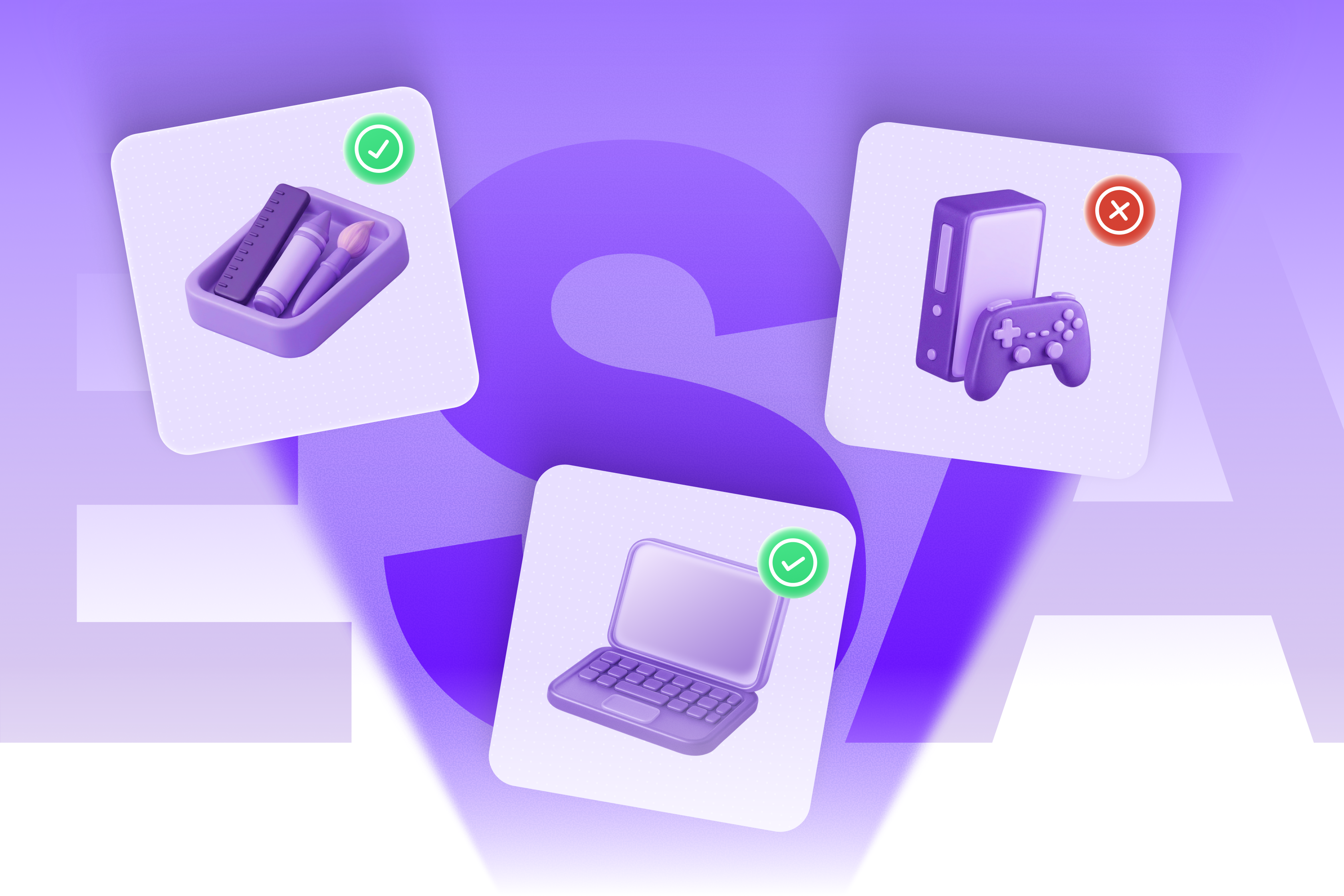
If you've heard that the Arizona ESA doesn't cover computers, here's some good news: it does. The ADE 2026-2027 ESA Parent Handbook, following A.R.S. §15-2402(4), lists computer hardware and technological devices as an allowable category. Parents usually call it Technology. It includes calculators, personal computers, laptops, tablet devices, microscopes, telescopes and printers. The handbook also draws a clear line. It excludes televisions, telephones, video game consoles and accessories, and home theater and audio equipment. The Arizona State Board of Education approves the handbook each year. ADE runs the program and evaluates expenses.
Arizona ESA Expense Categories for Tech Items at a Glance
| Item | Expense Category | What the Handbook Says |
|---|---|---|
| Laptop | Technology | The ADE 2026-2027 handbook lists laptops under computer hardware and technological devices. |
| Desktop or personal computer | Technology | Personal computers are named in the 2026-2027 Technology category. |
| Tablet | Technology | Tablet devices are named in the 2026-2027 Technology category. |
| E-reader (such as a Kindle) | Technology | E-readers count as Technology, like tablets. Parents often ask about one after buying a laptop and a tablet, so check it with Pathfinder's pre-approval tool first. |
| Printer | Technology | Printers are part of the 2026-2027 computer hardware list. |
| Headphones or earbuds used mainly for education | Supplemental Material (not Technology) | The 2026-2027 handbook says audio equipment used mainly for education, such as headphones or earbuds, is allowable. It must be categorized as supplemental material, not Technology. |
| Computer accessory items (cases, chargers, mouse, stylus, keyboard, warranty) | Check the specific item | The 2023-24 handbook and the 2025-26 red-line draft listed "Computer Accessory Items" under Supplemental Materials. The 2026-2027 handbook doesn't list them, so check each item with Pathfinder's pre-approval tool before you buy. |
| Smartwatch with cellular service | Not ESA-allowable | The 2026-2027 handbook lists smartwatches with cellular service as an unallowable purchase. |
One more rule matters for anything in the Supplemental column. The handbook ties supplemental materials to a curriculum, citing A.R.S. §15-2401(2) and A.A.C. R7-2-1501(14). Since a July 2026 settlement, items the handbook lists as general educational supplemental materials need no curriculum document. You attest that the item supports your student's curriculum or course of study and pick the subject from a checklist. Other supplemental items still need curriculum documentation.
Not sure where an item fits? Pathfinder's pre-approval tool can check whether an item is ESA-allowable in seconds, so you can shop with confidence.
Why Arizona ESA Technology Rules Matter for Families in 2026
Arizona ESA tech rules shifted during 2025. In March 2025, AZFamily reported that the proposed handbook included a $2,000 limit for computers or laptops every two years per ESA student. The State Board of Education delayed its vote. In May 2025, AZFamily reported that the draft would list specific spending caps for the first time. Superintendent Horne said the restrictions were not new. They were being spelled out for transparency. Those caps didn't last: the handbook the State Board approved 8-1 on June 23, 2025 dropped them and set no spending limits. ADE weighs whether a purchase's cost is reasonable instead.
Timing adds another layer. The State Board approves the Parent Handbook each year. The 2026-2027 edition, dated July 1, 2026, is the one ADE's handbook page links today, and it still sets no spending caps on devices. Pathfinder's pre-approval tool can check an item against Parent Handbook rules in seconds. It's open to all Arizona ESA parents, card or not. Check first, then buy with confidence.
Can One Child Get a Laptop, a Tablet and a Desktop? Common Arizona ESA Tech Challenges and How to Solve Them
It's a fair question, and many parents ask it. The 2026-2027 ESA Parent Handbook from the Arizona Department of Education (ADE) lists personal computers, laptops and tablet devices as allowable technology. So yes, Arizona ESA funds can be used to buy a laptop, a tablet and a desktop computer for the same student, as long as each device serves an educational purpose and is necessary to meet the student's individual educational needs. Check before you buy a second or third device for the same child.
Common Challenges Parents Encounter with Arizona ESA Tech Purchases
- More than one device per student: Laptops, tablets and computers are all allowable, and one student can have more than one, as long as each device serves an educational purpose and is necessary to meet the student's individual educational needs. Before you buy a second device for the same child, check it with Pathfinder's pre-approval tool or ask Pathfinder's Parent Support Team, who are all experienced ESA parents.
- Draft caps vs. final text: ADE's March 2025 draft handbook listed personal computers and laptops each with a "$2,000 limit every two years per item per ESA student." AZFamily also reported this proposed limit, and the State Board of Education delayed its vote at the time. That cap was dropped. The handbook the State Board approved on June 23, 2025 sets no spending limits, and neither does the 2026-2027 handbook, so plan around your child's needs and a reasonable price, not a dollar cap.
- Documenting more than one device: If you buy more than one device for the same child, write down what each one is for, like a laptop for writing assignments and a tablet for reading and math apps, and keep the note with each receipt.
- Shared family computers: ESA purchases are for the ESA student only, so a desktop the whole family shares isn't an ESA purchase. A desktop bought with ESA funds should be the ESA student's own learning device.
That's why we suggest checking each item before you buy, not after. Pathfinder's pre-approval tool checks the exact item you have in mind. It draws on anonymized ADE transaction data, Arizona ESA Parent Handbook rules, ADE help desk ticket results and the experience of long-time ESA parents. The tool is open to all Arizona ESA parents. Still unsure? Ask Pathfinder's Parent Support Team, who are all experienced ESA parents, or submit an ADE help desk ticket for any item. An ESA specialist will say whether it would be allowable, but that answer isn't a guarantee or a pre-approval, and there's no expected response time.
What to Look For in a Tool to Check Arizona ESA Tech Purchases
Before you spend hundreds of dollars on a laptop or tablet, it helps to check the exact item, not just the general type. A good tool should make that easy, whether you're looking at a tablet, headphones or a protection plan. It should explain its answer in plain language and tie it back to current Arizona ESA rules. The right tool lets you shop with confidence, takes the stress out of tech purchases and gives you a clear answer on what's ESA-allowable.
Must-Have Features for Checking Laptops, Tablets and Accessories
- Item-level checks on the exact product. A specific laptop model or headphone brand can get a different answer than "laptops" in general.
- More than one way to enter an item. Look for options to type it in, paste a link, snap a photo or scan a barcode. Use whatever is fastest in the moment.
- Grounding in current Parent Handbook rules. Answers should reflect the current ADE ESA Parent Handbook (2026-2027), not old forum posts.
- Category guidance. The tool should help you tell whether an item fits Technology or Supplemental Materials.
- Help with submission-ready documentation. Clear receipts and item details make it easier to submit for reimbursement.
- Protection if the check is wrong. A tool that stands behind its answers gives you real peace of mind.
We built Pathfinder's pre-approval tool around these needs. In the Pathfinder app, you can type the item name, paste a product link, snap a photo or scan a barcode, and the tool checks whether it's likely ESA-allowable in seconds. It draws on anonymized ADE transaction data, Arizona ESA Parent Handbook rules, ADE help desk ticket results and the experience of long-time ESA parents. It's open to all Arizona ESA parents, whether or not they have the card. Cardholders who buy the exact pre-approved item with the Pathfinder Education Visa® Charge Card¹ within 2 weeks from tool pre-approval are covered by the Pathfinder Guarantee², up to $2,500/item and $10,000/year.
² Our Pathfinder Guarantee protects you if Pathfinder's tool is wrong. Final expense eligibility subject to state ESA program rules. See pathfindercard.com/terms.
How Arizona ESA Parents Plan Tech Purchases: Device and Accessory Scenarios
Many Arizona ESA parents plan tech purchases one item at a time. Before you buy, you can type the item name, paste a product link, snap a photo or scan a barcode in Pathfinder's pre-approval tool. Then you can compare the result with what the Arizona Department of Education (ADE) handbook says. Here are six common scenarios and how we suggest you handle each one.
- Laptop plus desktop for the same child: The 2026-2027 handbook lists personal computers and laptops as allowable and sets no dollar cap, and a student can have both, as long as each device serves an educational purpose and is necessary to meet the student's individual educational needs. The $2,000-per-item cap in the March 2025 draft was dropped. Check each one in Pathfinder's pre-approval tool before you buy.
- Laptop plus tablet in the same year: The same rule applies: each device needs to serve an educational purpose and be necessary to meet your child's individual educational needs. Run both items through Pathfinder's pre-approval tool or ask Pathfinder's Parent Support Team before you buy, and keep a short note on what each device is for, like writing assignments on the laptop and reading and math apps on the tablet.
- Headphones and earbuds for learning: The 2026-2027 handbook says audio equipment used mainly for education, such as headphones or earbuds, is an allowable expense. It must be categorized as Supplemental Material, not Technology. Since the July 2026 settlement, general educational supplemental materials need an attestation and a course-of-study selection rather than a curriculum document; other supplemental items still need curriculum documentation.
- Cases, chargers, mouse, stylus and keyboard: ADE's 2023-2024 handbook and the 2025-2026 red-line draft listed "Computer Accessory Items" under Supplemental Materials. That list included protective cases, chargers, mice, styluses and keyboards. The 2026-2027 handbook doesn't list them, so check each item in the tool before you buy, so your reimbursement request lands in the right place.
- Extended warranties, AppleCare and protection plans: These need a closer look. Older ADE handbooks listed "warranty" among Computer Accessory Items, and the 2026-2027 handbook doesn't mention warranties. Our advice is simple: check the specific plan with Pathfinder's pre-approval tool before you buy.
- Shared family computers: ESA purchases are for the ESA student only, so a desktop the whole family shares isn't an ESA purchase. A desktop bought with ESA funds should be your student's own learning device.
Category tables help, but they answer in general terms. Pathfinder helps you go item by item: type the item name, paste a product link, snap a photo or scan a barcode. Cardholders who buy the exact pre-approved item with the Pathfinder Card within 2 weeks from tool pre-approval are covered by the Pathfinder Guarantee² if the state later denies it, up to $2,500/item and $10,000/year.
² Our Pathfinder Guarantee protects you if Pathfinder's tool is wrong. Final expense eligibility subject to state ESA program rules. See pathfindercard.com/terms.
Best Practices and Expert Tips for Buying Technology with Arizona ESA Funds
Pathfinder is based in Phoenix and was co-founded by Amaan Ahmad and Sidharth Jain, both former microschool leaders. Pathfinder's pre-approval tool checks the item you're considering and draws on anonymized ADE transaction data, Arizona ESA Parent Handbook rules, ADE help desk ticket results and the experience of long-time ESA parents. We made the tool available to all Arizona ESA parents. Here are the tips we share most often.
- Check the exact item before you buy: Run the specific product through Pathfinder's pre-approval tool: type the item name, paste a product link, snap a photo or scan a barcode, and you get a result in seconds, so you can shop with confidence.
- Use the current handbook: ADE's handbook page links the 2026-2027 Parent Handbook, dated July 1, 2026. Check that page before you rely on a rule from an older edition.
- Choose the right expense category: Laptops, tablets, e-readers and printers go under Technology, so don't put a laptop under Supplemental Materials. Headphones and earbuds used mainly for school go under Supplemental Material, not Technology, per the 2026-2027 Parent Handbook.
- Know the documentation rule for supplemental items: Since a July 2026 settlement, items the handbook lists as general educational supplemental materials need no curriculum document. You attest that the item supports your student's curriculum or course of study and pick the subject from a checklist. Other supplemental items still need curriculum documentation. For those, ADE's ESA Support page says a curriculum's materials list plus proof of which curriculum it belongs to is enough.
- Buy student-primary devices, and document a second one: ESA funds can only pay for the ESA student's own expenses, so a shared family desktop isn't a clean ESA purchase. A student can have more than one device, as long as each serves an educational purpose and is necessary to meet the student's individual educational needs, so check a second device before you buy, like a laptop plus an iPad, and write down what each one is for.
- Ask when you're unsure: Pathfinder's Parent Support Team, who are all experienced ESA parents, can help with tricky items. You can also submit an ADE help desk ticket for any item. An ESA specialist will say whether it would be allowable, but that answer isn't a guarantee or a pre-approval, and there's no expected response time.
- Ask other ESA parents: Many families check an item by asking whether other ESA parents have bought it with no issues. Much of that conversation happens in Arizona ESA Facebook groups.
Benefits of Checking Arizona ESA Tech Purchases Before You Buy
A new laptop or tablet is a big purchase. Checking it first means you aren't left guessing after you've paid. You can see whether an item looks ESA-allowable, choose the right category, and keep receipts ready to submit.
- Confidence before a big-ticket device: Pathfinder's pre-approval tool can check an item in seconds. You can decide on a laptop, tablet or desktop with more information before you spend.
- Correct category, cleaner submissions: Checking first helps you see whether an item fits Supplemental Materials or Technology. When the category is right, your reimbursement submission is easier to prepare.
- Less guesswork on accessories and warranties: Headphones, cases and protection plans can be harder to judge than the device itself. You can search the exact item instead of relying on a hunch.
- Submission-ready documentation: Pathfinder prepares submission-ready documentation for your purchases. Each billing cycle, Pathfinder Education Visa® Charge Card¹ holders get a statement and a reminder to upload receipts and documentation to submit for Arizona ESA reimbursement. The Pathfinder Card is a charge card. Full balance must be paid each billing cycle. Cardholders submit reimbursements to ClassWallet from the app in seconds.⁶
- Protection if our tool is wrong: Cardholders who check the exact item in the app and buy it with the Pathfinder Card within 2 weeks from tool pre-approval are covered by the Pathfinder Guarantee² if the state later denies it, up to $2,500/item and $10,000/year.
¹ Pathfinder is a financial technology company, not a bank. The Pathfinder Education Visa® Charge Card and Secured Pathfinder Education Visa® Charge Card are issued by Column, N.A. pursuant to a license from Visa U.S.A. Inc. The Secured Pathfinder Education Visa® Charge Card requires opening a Reimbursement Account, a secured deposit account with Column, N.A., Member FDIC. Pathfinder Cards available only to participants in education savings account programs in AZ. Approval is not guaranteed and subject to eligibility. Terms and conditions apply.
² Our Pathfinder Guarantee protects you if Pathfinder's tool is wrong. Final expense eligibility subject to state ESA program rules. See pathfindercard.com/terms.
⁶ Connecting may affect your card limit, subject to eligibility.
How Pathfinder Simplifies Arizona ESA Technology Purchases
We made Arizona ESA tech purchases simpler with three steps: check, pay, submit. Start by checking the exact item in Pathfinder's pre-approval tool, inside the Pathfinder mobile app. You can type the item name, paste a product link, or snap a photo or scan its barcode in the store. That way, you can see whether a specific device, case or pair of headphones looks ESA-allowable before you buy.
Next, pay with the Pathfinder Education Visa® Charge Card¹. The Pathfinder Card is a charge card. Full balance must be paid each billing cycle. It has no annual fee and 0% interest³. Pathfinder makes money through interchange, the fee merchants pay Visa. This is industry standard and doesn't come at an extra cost to parents. For Pathfinder Card fees, see Rates & Fees. Other fees, such as late fees, may apply.
Then you submit for reimbursement. Cardholders submit reimbursements to ClassWallet from the app in seconds.⁶ Each billing cycle, you get a statement and a reminder to upload receipts and documentation. We prepare submission-ready documentation for your purchases, so you don't have to piece it together yourself. If you want a walkthrough, we also publish a step-by-step ClassWallet reimbursement guide. It covers adding purchase details, uploading a receipt, choosing ESA funding and an expense category, and submitting.
We also stand behind our checks. Here's how the Pathfinder Guarantee² works. Cardholders who check the exact item with Pathfinder's pre-approval tool and buy it with the Pathfinder Card within 2 weeks from tool pre-approval are covered if the state later denies it. Coverage is capped at $2,500 per item and $10,000 per year. For a big purchase like a laptop, that can give you real peace of mind.
¹ Pathfinder is a financial technology company, not a bank. The Pathfinder Education Visa® Charge Card and Secured Pathfinder Education Visa® Charge Card are issued by Column, N.A. pursuant to a license from Visa U.S.A. Inc. The Secured Pathfinder Education Visa® Charge Card requires opening a Reimbursement Account, a secured deposit account with Column, N.A., Member FDIC. Pathfinder Cards available only to participants in education savings account programs in AZ. Approval is not guaranteed and subject to eligibility. Terms and conditions apply.
² Our Pathfinder Guarantee protects you if Pathfinder's tool is wrong. Final expense eligibility subject to state ESA program rules. See pathfindercard.com/terms.
³ The Pathfinder Card is a charge card. Full balance must be paid each billing cycle.
⁶ Connecting may affect your card limit, subject to eligibility.
Key Takeaways and How to Get Started with Arizona ESA Tech Purchases
The rules are clearer than they first look. Arizona's 2026-2027 ESA Parent Handbook lists laptops, personal computers and tablets as computer hardware that ESA funds can cover. Smaller items need more care, because some belong in a different expense category. ADE may process purchases under $2,000 before review. They remain subject to audit. Here's what we'd want every parent to remember before checking out. We'll also show you a simple way to check items before you buy.
- Laptops, desktops and tablets are listed as allowable computer hardware. The handbook names personal computers, laptops, tablet devices and calculators.
- More than one device is allowed. A student can have a laptop, a tablet and a desktop, as long as each device serves an educational purpose and is necessary to meet the student's individual educational needs. Check a second or third device with Pathfinder's pre-approval tool before you buy.
- Headphones and earbuds go under Supplemental Material, not Technology. This applies when they're mainly used for education.
- Check accessories and warranties one item at a time. Older ADE handbooks listed warranties as computer accessory items, but the 2026-2027 handbook doesn't mention them, so check each plan before you buy.
- Get help when you're unsure. Pathfinder's Parent Support Team, all experienced ESA parents, can help, or you can submit an ADE help desk ticket for any item.
When you're ready for an easier way to shop for school tech, Apply for the Pathfinder Education Visa® Charge Card.¹
Want to start smaller? Download the App and try Pathfinder's pre-approval tool on the laptop or headphones in your cart. It's open to all Arizona ESA parents, whether or not you have the Pathfinder Card.
¹ Pathfinder is a financial technology company, not a bank. The Pathfinder Education Visa® Charge Card and Secured Pathfinder Education Visa® Charge Card are issued by Column, N.A. pursuant to a license from Visa U.S.A. Inc. The Secured Pathfinder Education Visa® Charge Card requires opening a Reimbursement Account, a secured deposit account with Column, N.A., Member FDIC. Pathfinder Cards available only to participants in education savings account programs in AZ. Approval is not guaranteed and subject to eligibility. Terms and conditions apply.
FAQs About Arizona ESA Technology Purchases
Can I use Arizona ESA funds to buy a laptop, a tablet and a desktop for the same child?
Yes, as long as each device serves an educational purpose and is necessary to meet the student's individual educational needs. The ADE 2026-2027 ESA Parent Handbook lists personal computers, laptops and tablet devices as allowable under A.R.S. §15-2402(4). Before you buy a second or third device for the same child, check each one in Pathfinder's pre-approval tool or ask Pathfinder's Parent Support Team, who are all experienced ESA parents, and write down why your child needs it.
Is there a spending or time limit on computers and laptops in the Arizona ESA Parent Handbook?
No. The March 2025 draft of the 2025-2026 Parent Handbook listed personal computers and laptops each with a "$2,000 limit every two years per item per ESA student," but that cap was dropped. The handbook the State Board approved on June 23, 2025 sets no spending limits, and neither does the 2026-2027 handbook. ADE weighs whether the cost is reasonable for your child's needs instead. ADE may process purchases under $2,000 before review. They remain subject to audit. Before a big purchase, check the exact model with Pathfinder's pre-approval tool, or ask Pathfinder's Parent Support Team.
Are headphones and earbuds ESA-allowable in Arizona, and which expense category do they go under?
They can be. The 2026-2027 Parent Handbook says audio equipment used mainly for education, like headphones or earbuds, is an allowable expense. The detail that matters is the category. You submit them as Supplemental Material, not Technology. You can paste a product link into Pathfinder's pre-approval tool to check a specific pair before you buy.
Can Arizona ESA funds pay for an extended warranty, AppleCare or a protection plan on a laptop or tablet?
This one depends on the item. Older ADE handbooks, including the 2023-2024 final version, listed "warranty" under Computer Accessory Items in Supplemental Materials. The 2025-2026 red-line draft listed warranties there too, but the 2026-2027 handbook doesn't mention them. Check each plan on its own. Pathfinder's pre-approval tool can check a specific protection plan, and Pathfinder's Parent Support Team can help too.
Are laptop cases, chargers, a mouse or a keyboard ESA-allowable accessories?
Earlier ADE handbooks listed Computer Accessory Items under Supplemental Materials. That list included protective cases, chargers, a mouse, a stylus, keyboards and small speakers. Both the 2023-2024 final handbook and the 2025-2026 red-line draft include it. Since a July 2026 settlement, items the handbook lists as general educational supplemental materials need an attestation and a course-of-study selection instead of a curriculum document; other supplemental items still need one. The 2026-2027 handbook doesn't list computer accessories, so check each item before you buy. In the store, you can snap a photo of a case or mouse in Pathfinder's pre-approval tool to check it.
How do I tell whether an item belongs under Supplemental Materials or Technology for an Arizona ESA reimbursement?
Start with the type of item. The 2026-2027 handbook puts calculators, personal computers, laptops, tablets, microscopes, telescopes and printers under computer hardware. Headphones and earbuds go under Supplemental Material instead. For supplemental items, the July 2026 settlement means general educational supplemental materials need an attestation and a course-of-study selection rather than a curriculum document. Other supplemental items still need one, and ADE's ESA Support page says a curriculum's materials list plus proof of which curriculum it belongs to is enough. Pathfinder's pre-approval tool applies Parent Handbook rules, which can help you choose the right category.
Can a shared family computer be bought with Arizona ESA funds?
No. ESA purchases are for the ESA student only, so a computer the whole family shares isn't an ESA purchase. A desktop follows the same rules as a laptop: if you buy one with ESA funds, it should be your child's own learning device. The ADE handbook also excludes devices that are mainly noneducational, like televisions, telephones and video game consoles. Not sure about your setup? Check the item with Pathfinder's pre-approval tool or ask Pathfinder's Parent Support Team.
How can Pathfinder's pre-approval tool help me check a tech purchase before I buy it?
Pathfinder's pre-approval tool lives in the Pathfinder mobile app. You can type the item name, paste a product link, snap a photo or scan a barcode, and it checks in seconds. The tool draws on anonymized ADE transaction data, Arizona ESA Parent Handbook rules, ADE help desk ticket results and the experience of long-time ESA parents. It's open to all ESA parents, with or without the card. Cardholders who buy the exact pre-approved item with the Pathfinder Education Visa® Charge Card¹ within 2 weeks from tool pre-approval are covered by the Pathfinder Guarantee². Download the App to give it a try.
¹ Pathfinder is a financial technology company, not a bank. The Pathfinder Education Visa® Charge Card and Secured Pathfinder Education Visa® Charge Card are issued by Column, N.A. pursuant to a license from Visa U.S.A. Inc. The Secured Pathfinder Education Visa® Charge Card requires opening a Reimbursement Account, a secured deposit account with Column, N.A., Member FDIC. Pathfinder Cards available only to participants in education savings account programs in AZ. Approval is not guaranteed and subject to eligibility. Terms and conditions apply.
² Our Pathfinder Guarantee protects you if Pathfinder's tool is wrong. Final expense eligibility subject to state ESA program rules. See pathfindercard.com/terms.
Have any questions and want to talk to Pathfinder directly? Reach out here!