Arizona's official list of ESA allowable items is in the Arizona Department of Education (ADE) ESA 2026-2027 Parent Handbook. It sets out the allowable expense categories with examples and includes the Unallowable Purchases List. The handbook's allowable list isn't exhaustive, so to check a specific item, Arizona ESA families use Pathfinder's pre-approval tool, Pathfinder's Parent Support Team, an ADE help desk ticket or other experienced ESA parents.
Pathfinder is a financial technology (fintech) company dedicated to making the Arizona Empowerment Scholarship Account (ESA) easier, more accessible and more practical for families. In this guide, we'll show you where each official ADE resource lives and what it covers. We'll explain the four factors ADE uses to decide on a purchase. Then we'll walk through grey-area items and simple best practices. Finally, you'll see how Pathfinder's pre-approval tool checks an item in seconds, so you can shop with confidence.
Where Is the Official Arizona ESA Allowable Items List?
The official list of Arizona ESA allowable items is in the Arizona Department of Education (ADE) ESA Parent Handbook, available on ADE's Parent Handbook page. ADE also posts the Unallowable Purchases List on its own and any updates on its ESA Support page. ADE's older searchable ESA Allowable Items page is no longer publicly available, though some sites still link to it. Here's where to find each piece, and how to check an item the handbook doesn't name.
The ESA Parent Handbook
The ADE ESA 2026-2027 Parent Handbook is your main rulebook. It explains how the program works and includes a list of allowable expenses. One detail matters a lot: the handbook says its allowable list is not exhaustive. So if your item isn't named, that doesn't mean it's off-limits. It just means you'll want to check further. ADE posts any changes to the allowable list on its ESA Support page. It's worth bookmarking that page and checking it before larger purchases. Because the handbook is a long PDF, the fastest way to check a specific item is Pathfinder's pre-approval tool or Pathfinder's Parent Support Team.
The Unallowable Purchases List
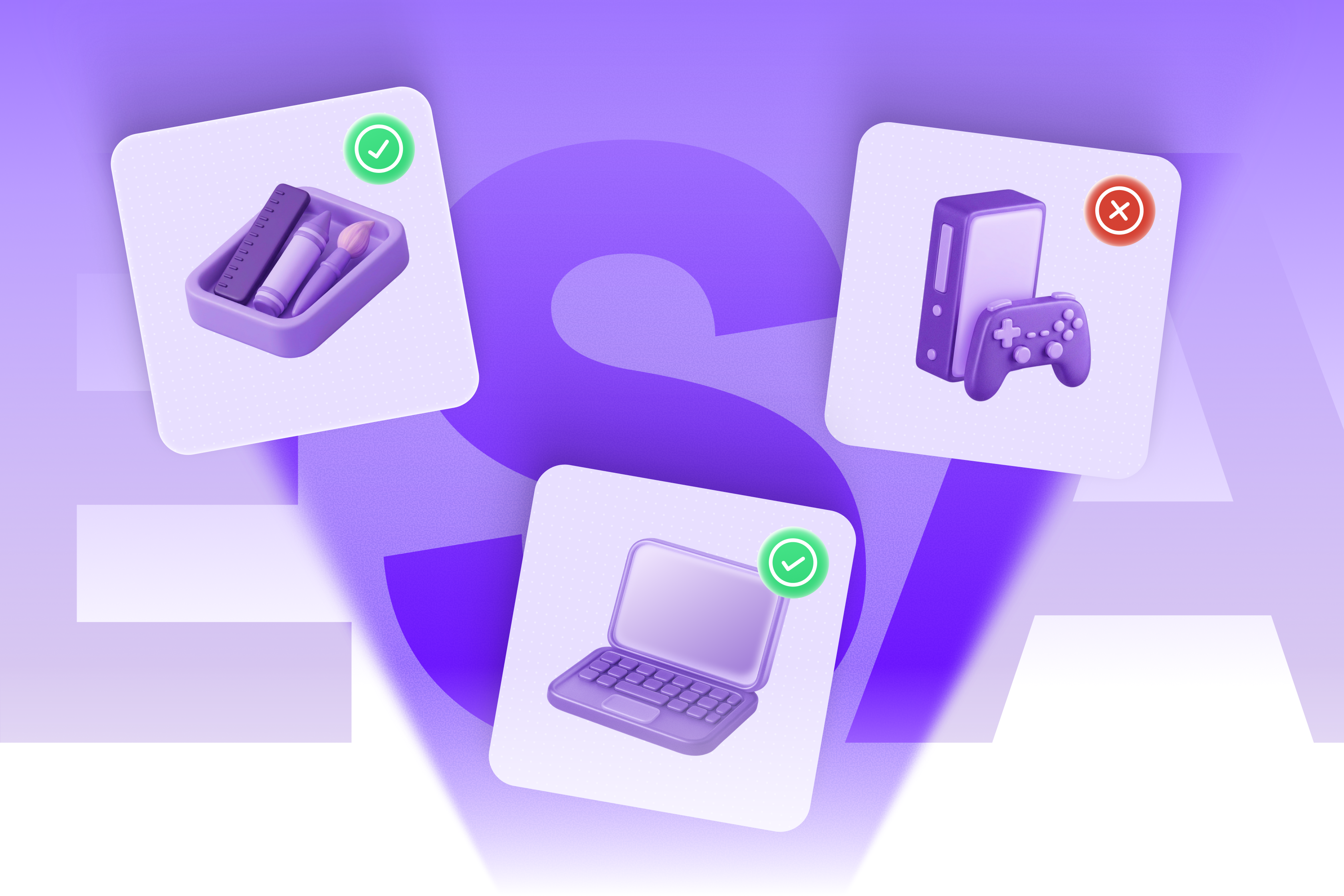
ADE's ESA Unallowable Purchases List is the same list that appears in the Parent Handbook. It draws on A.R.S. §15-2402. The list rules out entertainment, home theater and audio equipment, primarily noneducational devices, telephones, televisions, and video game consoles and accessories. If an item clearly fits one of these groups, you can plan around it early. Devices can be tricky, so our Arizona ESA Technology Rules guide walks through them in more detail.
How to Check an Item the Handbook Doesn't Name
The handbook's allowable list isn't exhaustive, so many items won't be named in it. Arizona ESA parents check those items four ways:
- Pathfinder's pre-approval tool: Type the item name, paste a product link, snap a photo or scan a barcode in the Pathfinder app, and you get a result in seconds. It's available to every Arizona ESA parent.
- Pathfinder's Parent Support Team: a team of experienced ESA parents who can help with tricky items.
- An ADE help desk ticket: you can submit one for any item. An ESA specialist will say whether it would be allowable, but that answer isn't a guarantee or a pre-approval, and there's no expected response time.
- Other ESA parents: many families ask whether other parents have bought the same item with no issues. Much of that conversation happens in Arizona ESA Facebook groups.
Which Handbook Is Current?
This part confuses a lot of parents, so let's take it in order. First, the State Board of Education approved the 2025-26 handbook 8-1 on June 23, 2025. Next, the Board adopted the 2026-27 handbook, reportedly with only date changes. That 2026-2027 edition is dated July 1, 2026, and it's the one ADE's handbook page links today. Before you rely on any edition, check which one ADE's handbook page lists.
| Resource | Published by | What it tells you | How to use it |
|---|---|---|---|
| ESA 2026-2027 Parent Handbook | Arizona Department of Education | Program rules, allowable expense categories (not exhaustive) and the Unallowable Purchases List | Start here to understand the rules and expense types |
| ESA Unallowable Purchases List | Arizona Department of Education | Items banned under A.R.S. §15-2402, such as TVs and game consoles | Rule out clearly unallowable items before you shop |
| ESA Support page | Arizona Department of Education | Changes to the allowable list | Check for updates before larger or unusual purchases |
| Pathfinder's pre-approval tool | Pathfinder | Whether a specific item is likely ESA-allowable, in seconds | Type the item name, paste a link, snap a photo or scan a barcode |
| ADE help desk ticket | Arizona Department of Education | An ESA specialist's view on any item (not a guarantee or a pre-approval) | Submit one for items you still can't settle |
Why Checking ESA-Allowable Items Matters for Arizona Families in 2026
Checking an item first saves Arizona ESA families real time. A West Valley View report notes that parents often spend hours reading the state's guidance manual. Pathfinder's pre-approval tool turns that long read into a result in seconds.
Part of the confusion comes from how the rules are written. Earlier drafts of the 2025-26 handbook proposed fixed price caps. Examples included $4,000 every three years for instruments and $1,500 every three years for vocational tools. Those caps were drafts only, and the handbook adopted in June 2025 dropped them. As ABC15 reported, Superintendent Horne said it keeps the principle of a valid educational purpose "at a reasonable price compared to market prices." The 2026-27 update reportedly changed only dates. The one "no" vote cited unclear wording around "reasonably related" purchases.
So in 2026, most decisions come down to purpose and price, not a set dollar limit. ADE may process purchases under $2,000 before review. They remain subject to audit, so checking an item before you buy means you know where it stands from the start. A purchase that goes through isn't the same as an approved expense: it becomes approved only after ADE audits it or the audit period ends. Once an expense is approved for your specific ESA, Arizona Administrative Code R7-2-1507 says ADE will not ask for repayment of it. A clear answer up front means you can shop with confidence.
Common Challenges in Checking Arizona ESA Allowability and How Tools Help
Arizona ESA rules leave room for judgment, so some items take a closer look. The handbook explains what ADE weighs, but many purchases still depend on your child's situation. Pathfinder's pre-approval tool lets you check an item before you buy, so you can shop with confidence.
Common Challenges Parents Encounter
- The list is not exhaustive: The 2026-2027 Parent Handbook says its allowable list isn't complete. ADE posts any changes on its ESA support page. If your item isn't listed, run it through Pathfinder's pre-approval tool or ask Pathfinder's Parent Support Team.
- Grey-area items depend on conditions: ADE approves expenses "reasonably related to an educational or vocational purpose." It weighs four factors. These are your student's circumstances and needs, and whether ADE has approved the item before for this or a similar student. ADE also looks at the item's main purpose based on ordinary use and its description. Finally, it checks whether the cost or quantity goes beyond what your student needs. So the same item can be decided differently for two families. Jot down how the item supports your child's learning.
- Choosing the right expense category: Some items belong in a category you might not expect. Headphones and earbuds are allowable, but the handbook says they go under Supplemental Material, not Technology. Pathfinder's pre-approval tool also tells you which category an item falls under, so you can submit it in the right place. Our Arizona ESA Technology Rules guide covers devices in more detail.
- There is no published number for "bulk" school supplies: ADE hasn't published a set quantity. Instead, it judges cost or quantity against your student's needs and readily available, reasonable alternatives. Buy what your child will actually use. ADE may also ask for more information or documentation case by case. Keep receipts and a short note on how you'll use the item. Upload your receipts to the Pathfinder app and we'll keep them tracked and in order for you.
- Being on the ClassWallet Marketplace doesn't make an item allowable: A vendor being on the Marketplace, accepting Direct Pay or being paid through the Marketplace doesn't make an item ESA-allowable. Amazon is on the Marketplace as a business account, and sometimes allowable items are blocked there while unallowable items can still be bought. Check the item itself, not the store.
- Some expenses are allowable only for some students: Educational therapies, such as speech therapy, occupational therapy and ABA therapy, are allowable for special education (disabilities contract) students only.
- Handbook editions change each year: The State Board approves a new Parent Handbook each year, and the 2026-2027 edition, dated July 1, 2026, is the one ADE's handbook page links today. Before a big purchase, check ADE's handbook page and follow the edition it lists.
A quick check before you buy saves a lot of back-and-forth. With Pathfinder's pre-approval tool in our mobile app, you can type the item name, paste a product link, snap a photo or scan a barcode, and get a result in seconds. The tool draws on anonymized ADE transaction data, Arizona ESA Parent Handbook rules, ADE help desk ticket results and the experience of long-time ESA parents.
What to Look For When Checking If an Item Is ESA-Allowable
The rule behind most ADE decisions is simpler than it looks. The 2026-2027 ADE Parent Handbook says the Department will approve expenses "reasonably related to an educational or vocational purpose." There is no single dollar cap on devices or other items. ABC15 reported that the handbook adopted in June 2025 dropped the proposed spending caps. Instead, ADE uses a reasonableness review and looks at a few factors together.
The Four Factors ADE Weighs
- The student's circumstances and needs. ADE looks at what your child needs to learn, so the same item can make sense for one student and not another.
- Whether ADE has approved the item before for this or a similar student. Arizona Administrative Code R7-2-1507 says ADE must treat similar expenses by similar account holders the same way, which is why past decisions matter so much.
- The item's main purpose, based on ordinary use and its description. ADE asks what the item is mostly used for, not just how you plan to use it.
- Whether the cost or quantity is more than the student needs. ADE compares your purchase with readily available, reasonable alternatives.
Factor 4 is where two rules parents ask about most come from: reasonable pricing and bulk quantity. When the caps were dropped, Superintendent Horne said the handbook keeps the principle of spending on a valid educational purpose "at a reasonable price compared to market prices." So a premium version of an item may be questioned if a similar, lower-cost option would do the job. Quantity works the same way. Buy what your student needs for their learning, not a stockpile. If an expense is ever disallowed, R7-2-1507 lets you request a hearing in writing within 30 days of the notice.
What a Good Pre-Purchase Check Should Do
Whether you check on your own or use a tool, a solid check should:
- Use ADE's past decisions. Similar expenses should be treated the same way, so past outcomes are a strong guide.
- Apply the Parent Handbook rules. The check should start from the current 2026-2027 handbook.
- Consider price. It should flag when a cost looks high next to reasonable alternatives.
- Show the right expense category. Knowing where an item fits, such as Supplemental or Technology, helps you submit it correctly.
- Keep receipts organized. Clear records make it easier to submit and answer any questions later.
We built Pathfinder's pre-approval tool around these same ideas. It draws on anonymized ADE transaction data, Arizona ESA Parent Handbook rules, ADE help desk ticket results and the experience of long-time ESA parents. It also weighs approval rates, price points and denial reasons to tell you whether an item is likely ESA-allowable. Experienced ESA parents helped build the tool and oversee the process, so you can buy with confidence.
How Arizona ESA Parents Handle Grey-Area Purchases
Most grey-area items have a clear answer once you know which ADE factor applies. The 2026-2027 ADE Parent Handbook says the Department approves expenses "reasonably related to an educational or vocational purpose." It weighs four factors: your student's needs, whether it has approved the item before for a similar student, the item's main purpose based on ordinary use, and whether the cost or quantity is more than your student needs. Here's how those factors apply to six common grey areas.
Headphones and Earbuds: Pick the Right Category
Headphones and earbuds are ESA-allowable. The catch is the category. The handbook's technology section says they belong under Supplemental Material, not Technology. That can feel odd, because the handbook does allow computer hardware and technological devices under A.R.S. §15-2402(4). But headphones are treated as a learning accessory, not a device. Choosing the right category when you submit helps your request match how ADE reads the item's main purpose. For more on devices, see our Arizona ESA Technology Rules guide.
Bento Boxes vs. Lunch Boxes
This one surprises a lot of parents. The handbook lists bento boxes and compartment trays as Supplemental Material examples. ADE's unallowable list, however, names lunch boxes, backpacks and water bottles as items the Department has chosen not to allow. The difference comes down to main purpose. Compartment trays can support hands-on learning, like sorting, counting or portioning in a lesson. A lunch box is mainly for carrying food. When you're unsure, think about how the item is ordinarily used and how it's described.
Gym Memberships and Educational Camps
A gym membership can be ESA-allowable, but only as an individual membership for your ESA student. Family memberships are not allowable. This ties to the factor about cost and quantity: ADE looks at whether you're paying for more than your student needs. Educational camps follow similar logic. The handbook lists them as Supplemental Material, but travel, overnight stays and food are not allowable. So the camp's learning portion may qualify, while the extras around it don't. Ask the camp for an itemized invoice so you can separate the two.
Greenhouses, Chicken Coops and Outdoor Projects
Outdoor learning is a favorite for many Arizona families, and ADE sets clear size limits here. Greenhouses larger than 100 sq. ft. are not allowable. Chicken coops and runs built for more than 12 chickens are not allowable either. These thresholds reflect the handbook's cost-and-quantity factor: is the project sized for one student's learning? Fuel and chemicals are excluded as well, with one exception. Chemicals required by a curriculum, such as a science curriculum, can be ESA-allowable. Keep your curriculum handy to show that link.
Appliances, Home Economics Tools and Mats
Home economics tools like measuring cups and whisks are ESA-allowable as Supplemental Material. Commercial or professional-grade appliances, such as freeze-dryers, espresso machines and dehydrators, are not. School mats and rugs are allowable up to 35 sq. ft. Beyond that, ADE's unallowable list excludes home furnishings and fixtures. That includes wall art, floor lamps, lockers, cabinets, nightstands and vanity desks. The deciding factor is main purpose. A small mat supports a learning space. Furniture mostly furnishes a home.
Sharing Items With Siblings
If you have more than one ESA student, this rule matters. The handbook says one student's ESA cannot pay for another ESA student's items or services. Each purchase should come from the account of the student it's for. Once you've bought an ESA-allowable item for one student, though, siblings who are also ESA students can use it later. That's good news for books, manipulatives and supplies that last. This ties back to the first factor: each purchase should match the circumstances and needs of the student whose account pays for it.
Grey-Area Items at a Glance
| Item | ESA-allowable or Not ESA-allowable | Condition | ADE source |
|---|---|---|---|
| Headphones and earbuds | ESA-allowable | Categorize as Supplemental Material, not Technology | 2026-2027 Parent Handbook |
| Bento boxes and compartment trays | ESA-allowable | Listed as Supplemental Material | 2026-2027 Parent Handbook |
| Lunch boxes, backpacks, water bottles | Not ESA-allowable | Department has chosen not to allow | 2026-2027 Unallowable List |
| Gym membership | ESA-allowable | Individual membership for the ESA student only | 2026-2027 Parent Handbook |
| Family gym membership | Not ESA-allowable | Not for the ESA student only | 2026-2027 Parent Handbook |
| Camp travel, overnight stays and food | Not ESA-allowable | Excluded from educational camp costs | 2026-2027 Parent Handbook |
| Greenhouse | Not ESA-allowable | Larger than 100 sq. ft. | 2026-2027 Unallowable List |
| Chicken coop and run | Not ESA-allowable | Built for more than 12 chickens | 2026-2027 Unallowable List |
| Measuring cups and whisks | ESA-allowable | Home economics tools | 2026-2027 Parent Handbook |
| Freeze-dryer, espresso machine, dehydrator | Not ESA-allowable | Commercial or professional-grade appliances | 2026-2027 Unallowable List |
| School mat or rug | ESA-allowable | Up to 35 sq. ft. | 2026-2027 Parent Handbook |
| Science chemicals | ESA-allowable | Only when required by a curriculum | 2026-2027 Unallowable List |
Check Grey-Area Items Before You Buy
You don't have to sort through the handbook alone every time. With Pathfinder's pre-approval tool in our mobile app, you can check whether an item is ESA-allowable in seconds. Type the item name, paste a product link, snap a photo or scan a barcode. We built this guide to give you not just a yes-or-no list, but the reason behind each answer, tied to the handbook factor ADE uses. That way you understand the rule, not just the result. Download the App to try it on your next grey-area item.
Best Practices for Staying Within Arizona ESA Rules
Most parents want to buy the right thing once and move on. That's why we use a simple order: check, pay, then submit. First, check whether an item is ESA-allowable. Next, pay for it. Then submit for reimbursement with your receipt ready. Doing these steps in order keeps each purchase simple. The habits below make each step easier.
- Check the item first: Run it through Pathfinder's pre-approval tool. You can type the item name, paste a product link, snap a photo or scan a barcode. For the rules behind the result, the ADE ESA Parent Handbook sets out the allowable categories and includes the Unallowable Purchases List.
- Watch ADE's ESA Support page for changes: The ADE ESA 2026-2027 Parent Handbook says its allowable list isn't complete. Any changes to that list will be posted on ADE's ESA Support page, so check it before bigger purchases.
- Choose the right expense category: The category matters as much as the item. For example, the handbook says headphones and earbuds are allowable, but they go under Supplemental Material, not Technology. Pathfinder's pre-approval tool tells you the right category for an item and the documentation you'll need. On documentation: Since a July 2026 settlement, items the handbook lists as general educational supplemental materials need no curriculum document. You attest that the item supports your student's curriculum or course of study and pick the subject from a checklist. Other supplemental items still need curriculum documentation.
- Skip late, cancelled and missed-appointment fees: The handbook says these fees are not an allowable ESA expense. If a tutor or therapist charges one, plan to cover it another way.
- Keep itemized receipts and documentation ready: ADE may ask for more information case by case to decide if an expense is allowable. An itemized receipt makes that request easier to answer. Upload each receipt to the Pathfinder app as you go, so you can pull it up later if you need it, without keeping a pile of paper receipts.
- Use one student's ESA only for that student: The handbook says one student's ESA can't pay for another ESA student's items or services. The good news: allowable items bought for one student can later be used by siblings in the program.
- Ask when you're unsure: Pathfinder's Parent Support Team, who are all experienced ESA parents, can help with tricky items. You can also submit an ADE help desk ticket for any item. An ESA specialist will say whether it would be allowable, but that answer isn't a guarantee or a pre-approval, and there's no expected response time.
- Ask other ESA parents: Many families check an item by asking whether other ESA parents have bought it with no issues. Much of that conversation happens in Arizona ESA Facebook groups.
- Know your ClassWallet payment options: The 2026-2027 handbook describes four ways to pay through ClassWallet, the payment platform for Arizona ESA: the Marketplace, Pay Vendor, debit card and reimbursement.
What if ADE disallows an expense anyway? You still have options. Arizona Administrative Code R7-2-1507 says ADE must treat similar expenses by similar account holders the same way. If you get a disallowed-expense notice, you can request a hearing in writing within 30 days of the notice. Records help here. As KTAR reported, Pathfinder keeps track of each purchase and receipt, so you can show proof of purchase to ADE when you need it. If you're disputing a decision, reach out to Pathfinder's Parent Support Team and we'll help you with the dispute.
Benefits of Checking ESA-Allowable Items Before You Buy
Checking an item before you buy saves time and lets you spend Arizona ESA funds with confidence. We built Pathfinder's pre-approval tool for that moment. Type the item name, paste a product link, snap a photo or scan a barcode in our mobile app, and you get a result in seconds.
- Time back in your day: Local news reports that parents often spend hours reading the state's guidance manual. With Pathfinder's pre-approval tool, you can check whether an item is ESA-allowable in seconds instead.
- The right category, up front: A quick check before you buy helps you spot category and quantity questions early, so each submission goes in correctly.
- Organized receipts for proof of purchase: KTAR reported that Pathfinder keeps track of each purchase and receipt. That way you have proof of purchase ready if ADE asks for it.
- More confidence on grey-area items: The tool draws on anonymized ADE transaction data, Arizona ESA Parent Handbook rules, ADE help desk ticket results and the experience of long-time ESA parents, so your check reflects real past decisions.
- Open to every Arizona ESA parent: Pathfinder's pre-approval tool is available to all ESA parents, whether or not you use our card. Foothills Focus reported that families can use the item check at no cost.
How Pathfinder Helps You Check If an Item Is ESA-Allowable
Pathfinder's tools help you check an item before you pay and keep everything organized when it's time to submit.
Pathfinder's Pre-Approval Tool
You can check whether an item is ESA-allowable in seconds. Open the Pathfinder app, then type the item name, paste a product link, snap a photo or scan a barcode (handy when you're shopping in store). Pathfinder's pre-approval tool draws on anonymized ADE transaction data, Arizona ESA Parent Handbook rules, ADE help desk ticket results and the experience of long-time ESA parents. It looks at approval rates, price points and denial reasons. Experienced ESA parents helped us build it and oversee the process.
The Pathfinder Guarantee
Here's how it works. Check the exact item with Pathfinder's pre-approval tool, then buy it with the Pathfinder Education Visa® Charge Card¹ within 2 weeks of the pre-approval tool result. If the state later denies it, cardholders who bought the exact pre-approved item with the Pathfinder Card are covered by the Pathfinder Guarantee².
Coverage is capped at $2,500 per item and $10,000 per year. You need an active card account in good standing and an active ESA account. The guarantee does not apply if a parent knowingly gives false, misleading or incomplete information about the item.
² Our Pathfinder Guarantee protects you if Pathfinder's tool is wrong. Final expense eligibility subject to state ESA program rules. See pathfindercard.com/terms.
Check, Pay, Submit With the Pathfinder Card
We keep it to three steps:
- Check if the item is ESA-allowable with Pathfinder's pre-approval tool.
- Pay with the Pathfinder Card.³
- Submit your receipts for reimbursement. Cardholders submit reimbursements to ClassWallet from the app in seconds.⁶
Each billing cycle, you get a statement and a reminder to upload receipts and documentation so you can submit.
What it costs: Pathfinder's pre-approval tool is available to all Arizona ESA parents. The Pathfinder Card has no annual fee and 0% interest³. Pathfinder makes money through interchange, the fee merchants pay Visa. This is industry standard and doesn't come at an extra cost to parents. For Pathfinder Card fees, see Rates & Fees. Other fees, such as late fees, may apply.
All Arizona ESA families can apply for the card. To get started, Download the App.
³ The Pathfinder Card is a charge card. Full balance must be paid each billing cycle.
⁶ Connecting may affect your card limit, subject to eligibility.
¹ Pathfinder is a financial technology company, not a bank. The Pathfinder Education Visa® Charge Card and Secured Pathfinder Education Visa® Charge Card are issued by Column, N.A. pursuant to a license from Visa U.S.A. Inc. The Secured Pathfinder Education Visa® Charge Card requires opening a Reimbursement Account, a secured deposit account with Column, N.A., Member FDIC. Pathfinder Cards available only to participants in education savings account programs in AZ. Approval is not guaranteed and subject to eligibility. Terms and conditions apply.
Key Takeaways: How to Check What You Can Buy With Arizona ESA
Here's the short version of how to check what you can buy with Arizona ESA funds.
The official list of Arizona ESA allowable items is in the Arizona Department of Education (ADE) ESA 2026-2027 Parent Handbook, which also includes the Unallowable Purchases List. Its allowable list is not exhaustive, so for a specific item, use Pathfinder's pre-approval tool, Pathfinder's Parent Support Team or an ADE help desk ticket.
- Know where the rules live. The ADE ESA 2026-2027 Parent Handbook sets out the allowable categories and includes the Unallowable Purchases List.
- Watch for updates. The handbook's allowable list is not exhaustive. ADE posts changes on its ESA Support page.
- Check before you buy. Pathfinder's pre-approval tool is open to all Arizona ESA parents, whether or not you have the Pathfinder Education Visa® Charge Card¹.
- Know what the $2,000 line means. ADE may process purchases under $2,000 before review, but they remain subject to audit, so checking first keeps every purchase on solid ground.
- Follow the simple path. First, check if an item is ESA-allowable. Next, pay with the Pathfinder Card.³ Then submit for reimbursement.
Have an item in mind? Download the App and run it through Pathfinder's pre-approval tool before you buy.
Want an easier way to pay for ESA-allowable purchases? All Arizona ESA families can apply. Apply for the Pathfinder Card today.
³ The Pathfinder Card is a charge card. Full balance must be paid each billing cycle.
¹ Pathfinder is a financial technology company, not a bank. The Pathfinder Education Visa® Charge Card and Secured Pathfinder Education Visa® Charge Card are issued by Column, N.A. pursuant to a license from Visa U.S.A. Inc. The Secured Pathfinder Education Visa® Charge Card requires opening a Reimbursement Account, a secured deposit account with Column, N.A., Member FDIC. Pathfinder Cards available only to participants in education savings account programs in AZ. Approval is not guaranteed and subject to eligibility. Terms and conditions apply.
FAQs About Arizona ESA Allowable Items
Where can I find the official list of allowable items for Arizona ESA?
The official list is in the Arizona Department of Education (ADE) ESA 2026-2027 Parent Handbook, available on ADE's Parent Handbook page. It sets out the allowable expense categories with examples and includes the Unallowable Purchases List, which ADE also posts on its own. The handbook says its allowable list is not exhaustive, and ADE posts any changes on its ESA Support page. To check a specific item, use Pathfinder's pre-approval tool, available to every Arizona ESA parent in the Pathfinder app: type the item name, paste a product link, snap a photo or scan a barcode for a result in seconds. You can also ask Pathfinder's Parent Support Team, who are all experienced ESA parents, submit an ADE help desk ticket for any item, or ask other parents in Arizona ESA Facebook groups.
Is there an official Arizona ESA unallowable purchases list?
Yes. ADE publishes an ESA Unallowable Purchases list, the same list that appears in the Parent Handbook, and it has two parts. The first part covers items banned by state law under A.R.S. §15-2402. These include entertainment, home theater and audio equipment, primarily noneducational devices, telephones, televisions, and video game consoles and accessories. The second part lists items ADE has chosen not to allow. Examples include Amazon Prime fees, theme park tickets, assembly or installation fees, backpacks, lunch boxes, water bottles, bedding, children's car seats, clothing other than uniforms, footwear, food, gift cards, day care fees and dog training. If an item isn't clearly on the list, check it with Pathfinder's pre-approval tool.
How does Arizona ESA decide whether a purchase is reasonably priced?
ADE approves expenses that are "reasonably related to an educational or vocational purpose." The 2026-2027 Parent Handbook weighs four factors. The first is your student's circumstances and needs. The second is whether ADE has approved the item before for this or a similar student. The third is the item's main purpose, based on ordinary use and its description. The fourth is whether the cost or quantity is more than your student needs compared with readily available, reasonable alternatives. ABC15 reported that Superintendent Horne said the handbook keeps the principle of spending "at a reasonable price compared to market prices." Pathfinder suggests comparing a few stores first.
How many school supplies count as a bulk purchase under Arizona ESA?
ADE doesn't publish a set number. ABC15 reported that the handbook version adopted in June 2025 dropped the proposed spending caps. ADE judges quantity against your student's needs instead. One of the handbook's four factors asks whether the cost or quantity is more than the student needs compared with readily available, reasonable alternatives. In practice, buying for one student's real, current use is easier to explain than stocking up far ahead. Pathfinder recommends buying what your student will actually use. If you buy larger amounts, keep a short note explaining why they fit your student's learning plan.
Which expense category does an item go under for Arizona ESA, Supplemental or Technology?
It depends on the item, and the handbook gives a clear example. Headphones and earbuds are allowable. However, they must be categorized as Supplemental Material, not Technology, even though they appear in the handbook's technology section. Choosing the right category matters when you buy an item or submit a reimbursement. If you're unsure, ask Pathfinder's Parent Support Team or submit an ADE help desk ticket before you submit. For more on devices, see Pathfinder's guide to Arizona ESA Technology Rules.
Can I check if an item is ESA-allowable before I buy it?
Yes. Pathfinder's pre-approval tool lives in our mobile app. You can type the item name, paste a product link, snap a photo or scan a barcode. The tool checks in seconds whether the item is likely ESA-allowable. News coverage reports that families can use this item check at no cost, even before applying for a card. For the rules themselves, use ADE's Parent Handbook, which includes the Unallowable Purchases List.
Does Pathfinder's pre-approval tool decide if a purchase is ESA-allowable?
No. The Arizona Department of Education (ADE) makes the final call on what is allowable and reimbursed. Pathfinder's pre-approval tool tells you in seconds whether an item looks ESA-allowable or Not ESA-allowable, based on anonymized ADE transaction data, Arizona ESA Parent Handbook rules, ADE help desk ticket results and the experience of long-time ESA parents. That's also why we created the Pathfinder Guarantee², which is explained in the next answer.
What happens if ADE denies a purchase I already made?
If ADE disallows an expense, you have options. Under Arizona Administrative Code R7-2-1507, you may request a hearing in writing within 30 days of the notice. The same rule says ADE must treat similar expenses by similar account holders the same way. Pathfinder cardholders have extra protection. If you checked the exact item with Pathfinder's pre-approval tool and bought it with the Pathfinder Education Visa® Charge Card¹ within 2 weeks of the pre-approval tool result, you're covered by the Pathfinder Guarantee², up to $2,500 per item and $10,000 per year. To keep that coverage, share the state's notice with Pathfinder within five business days of receiving it, well before the 30-day hearing deadline.
Can siblings share items bought with one child's Arizona ESA?
Yes, with one important limit. The handbook says one student's ESA can't pay for another ESA student's items or services. Here's the good news for families with more than one ESA student: allowable items bought for one student can later be used by other ESA students, such as siblings. For example, a set of reading books bought for an older child can be passed down when a younger sibling is ready. At Pathfinder, we suggest buying each item through the account of the student who needs it now. You can then share it as your kids grow.
¹ Pathfinder is a financial technology company, not a bank. The Pathfinder Education Visa® Charge Card and Secured Pathfinder Education Visa® Charge Card are issued by Column, N.A. pursuant to a license from Visa U.S.A. Inc. The Secured Pathfinder Education Visa® Charge Card requires opening a Reimbursement Account, a secured deposit account with Column, N.A., Member FDIC. Pathfinder Cards available only to participants in education savings account programs in AZ. Approval is not guaranteed and subject to eligibility. Terms and conditions apply.
² Our Pathfinder Guarantee protects you if Pathfinder's tool is wrong. Final expense eligibility subject to state ESA program rules. See pathfindercard.com/terms.
Have any questions and want to talk to Pathfinder directly? Reach out here!